Flag a Tree
Noticed something that needs to be checked out? Is a tree missing? Time to flag it.
Anyone using Forestree can Flag a Tree. It is a useful tool to keep your urban forest healthy and well managed.
• Start on either the Inspections, Works or Watering Map view.
• Navigate to the tree you want to flag.
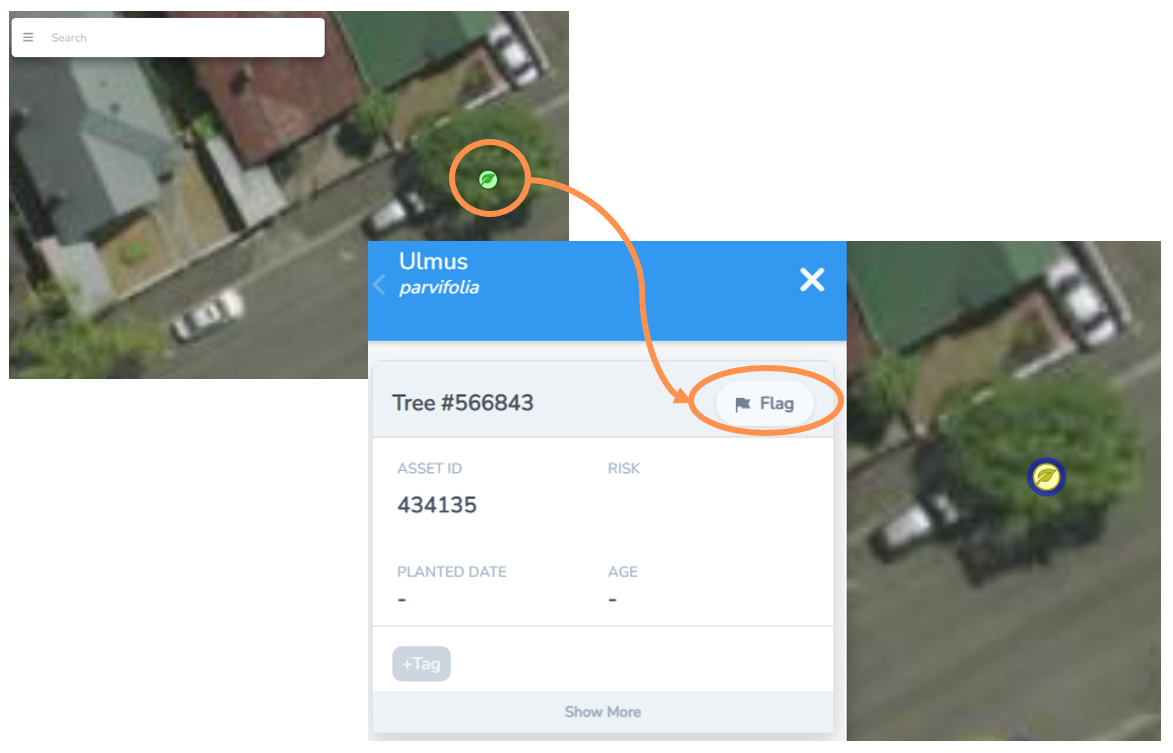
• Select the tree leaf icon maker and the menu to the left will expand.
• At the top of the left menu, select the Flag button.
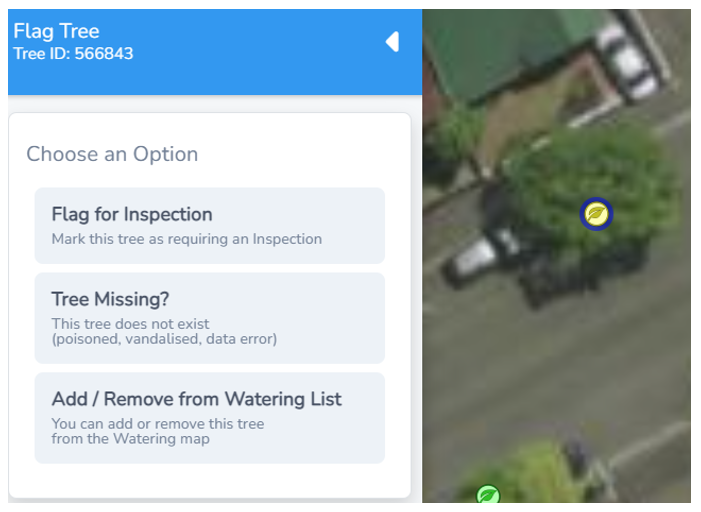
You will now be presented with three options.
• Flag for Inspection
• Tree Missing?
• Add/Remove from Watering List
Flag Tree for Inspection
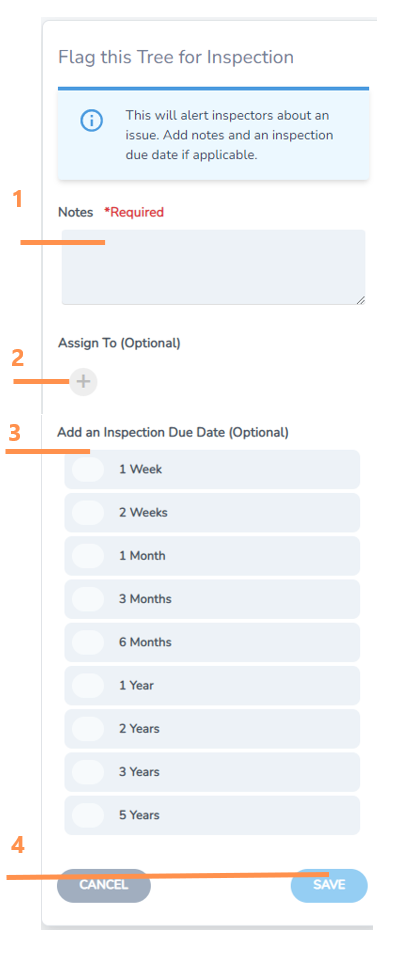
Select Flag a Tree for Inspection to create a task to the inspection list for a team member to check the tree.
1. Add notes about why the tree should be inspected. This step is mandatory. What did you notice? What needs to be checked?
2. You can press the plus button and select a team member to assign to the inspection.
3. Select an inspection due date from the options provided
4. Select save.
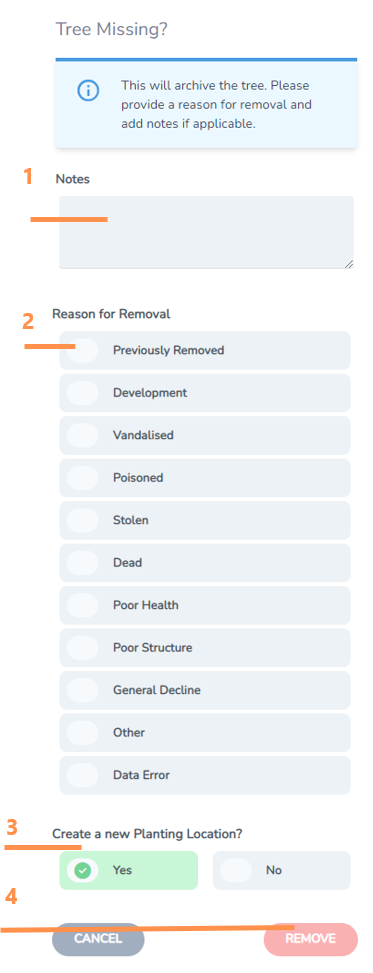
Tree Missing
Flag a tree that is in the asset list, but no longer on the ground. This will archive the tree data point so that the history record is kept, but it doesn’t appear as a current tree asset.
1. Add any notes relating to the missing trees
2. Indicate reason for removal if known. This can be really useful for reporting and understanding trends
3. Select if a new planting location should be created
a. Yes if a new tree could be put in the spot of the missing tree
b. No if it is no longer possible to plant a replacement.
4. Select remove to save this change and remove the missing tree from the asset map.
Add/Remove from Watering List
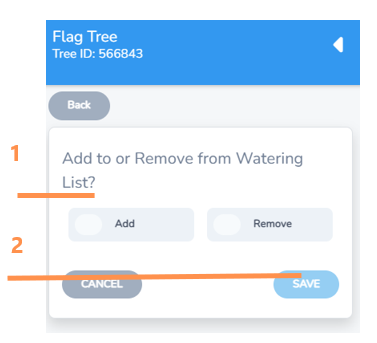
Use this function to add or remove a tree asset from the watering list.
1. Select the button to either Add or to Remove from Watering List
2. Select save.