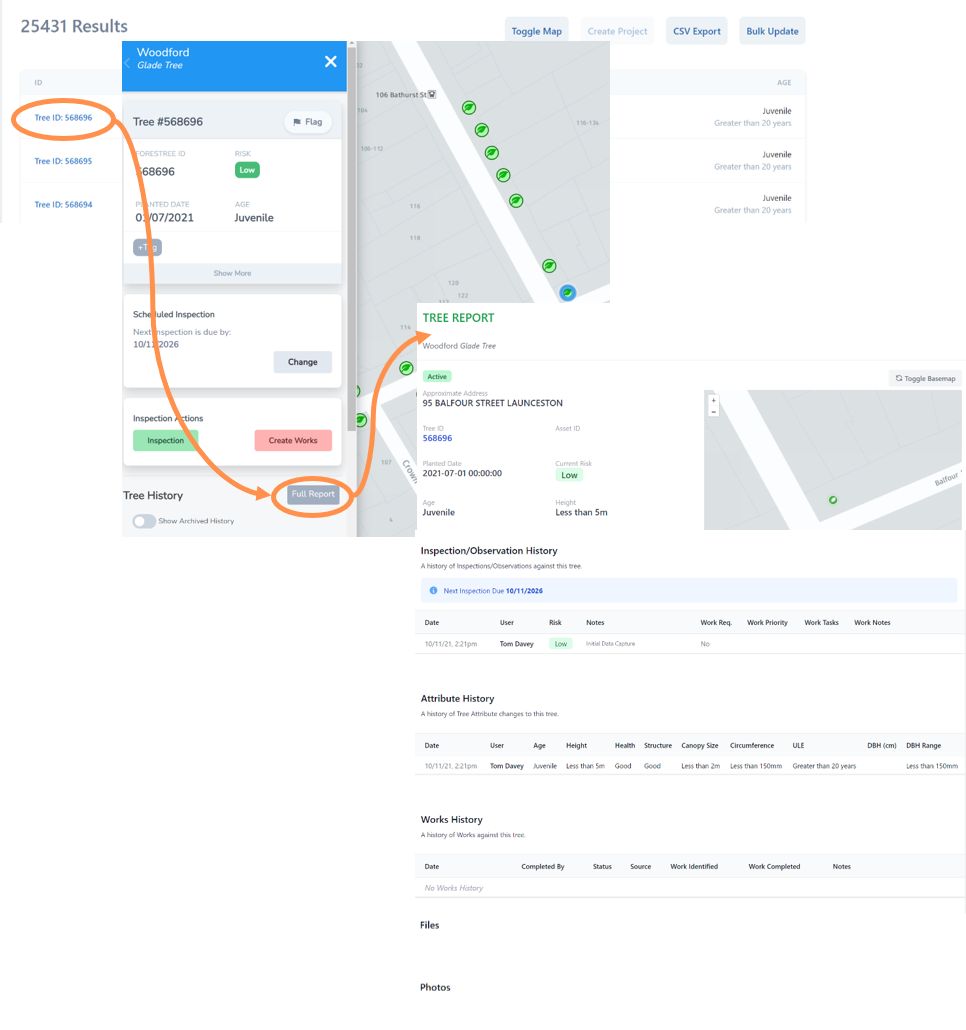
Full Tree Report
There is an inbuilt function for any tree asset to generate a full report.
• Select a Tree ID number, you will be automatically taken the Inspections Map, zoomed down to that tree with the left menu. Alternatively you can navigate to tree asset and select the leaf icon marker.
• Select Tree Report
• A new web page will open up with all current and past data entry available about your selected asset including inspections, works, watering and photos.