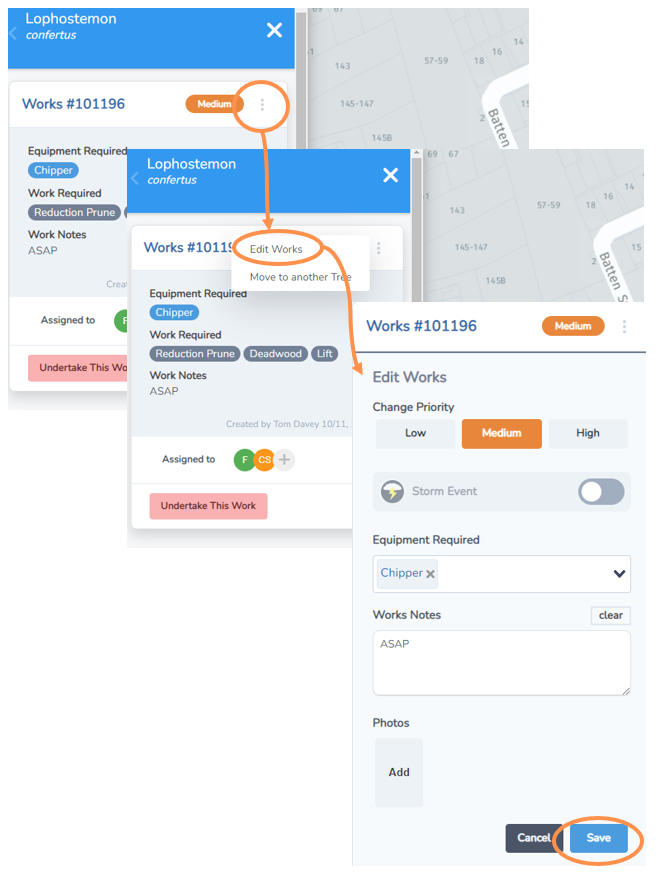
Edit Works
Sometimes task details need to be edited. Thankfully it is easy to do.
• First, navigate to the asset from either the Works List or the Works Map.
• Select the three small dots on the works heading and select “Edit Works”.
• Now you will be presented with the edit works form and its current information in a format you can edit.
• Make any changes required and select Save.