Proactive Works
Proactive Works are work undertaken without an initial Inspection or Customer Request (e.g. Block Pruning or unscheduled ad-hoc work).
This can also include when you complete reactive works on one tree, but while on site notice and proactively complete maintenance on the adjacent tree(s). Always best practice to quickly register this type of work to keep reporting and records accurate.
Record Proactive Work
• Navigate to the tree asset on the Works Map view. Because the tree asset doesn’t have current scheduled works, its leaf icon will be grey.
• Select the tree, the leaf icon will change to pale yellow and the left menu will appear.
• Under Work Actions, select the Undertake Proactive Work button.
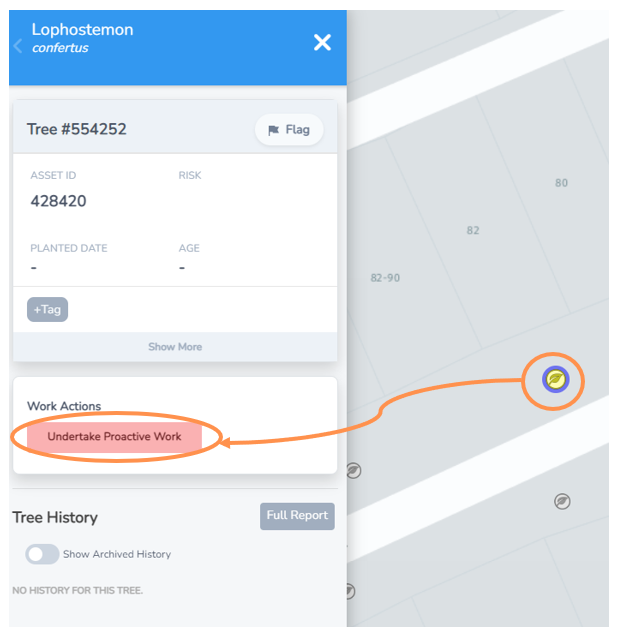
• You should now see the Works Undertaken Form
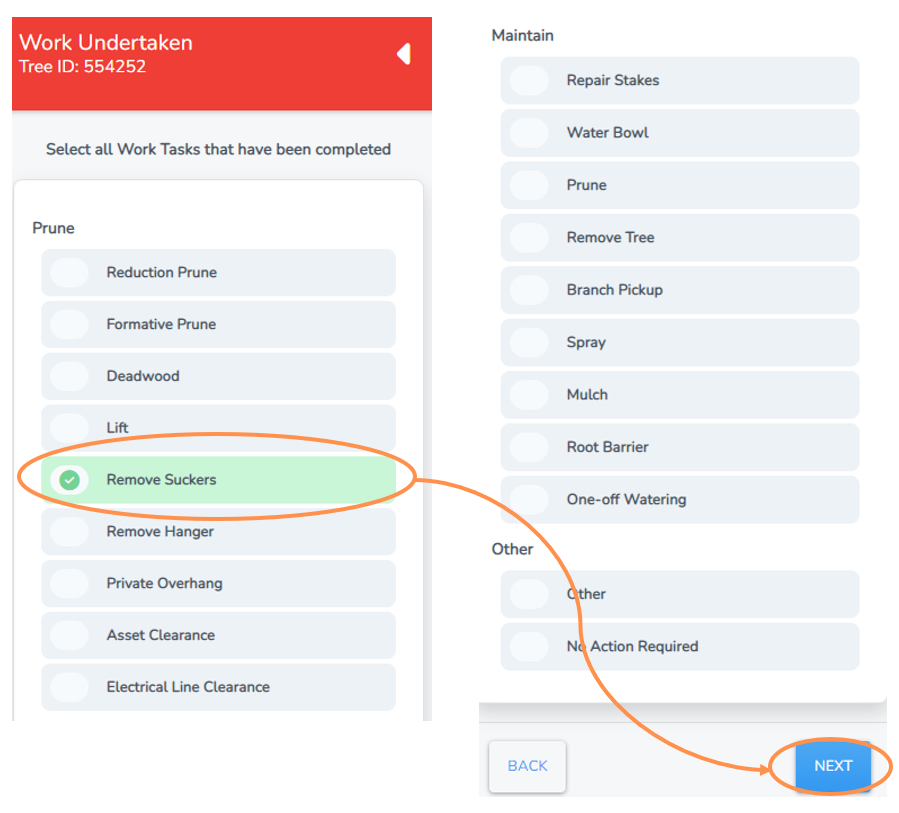
• Select one or more of the works tasks you have completed from the options under prune, maintain and/or other.
• Select Next.
In this example a team noticed and proactively removed some suckers on a street tree.
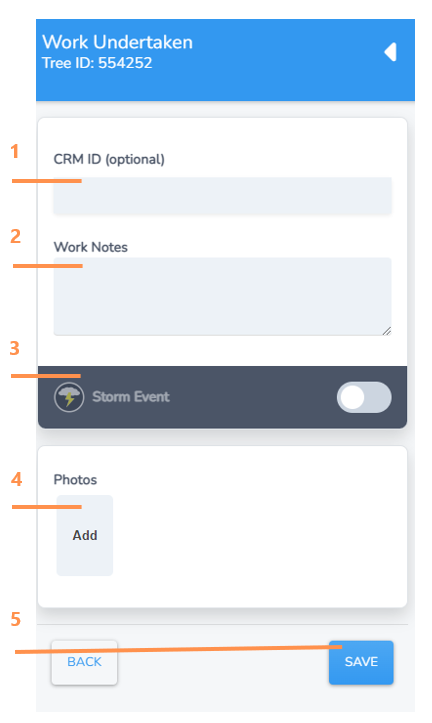
Final step is to add any additional details on works undertaken (these are optional)
1. Include a CRM ID if applicable. Some Councils use a Customer Reference number as a way to track a request made by a customer through to any works completed.
2. Write any specific work notes specific to the task, including what initiated the proactive works.
3. Select this toggle button if the works completed were due to a recent storm weather event. This can really help with reporting later so please use it.
4. Click “Add” and you will be taken to a browse screen to select and import a photo from your computer or device.
5. Select save. The work event will now be registered and added to the tree history.