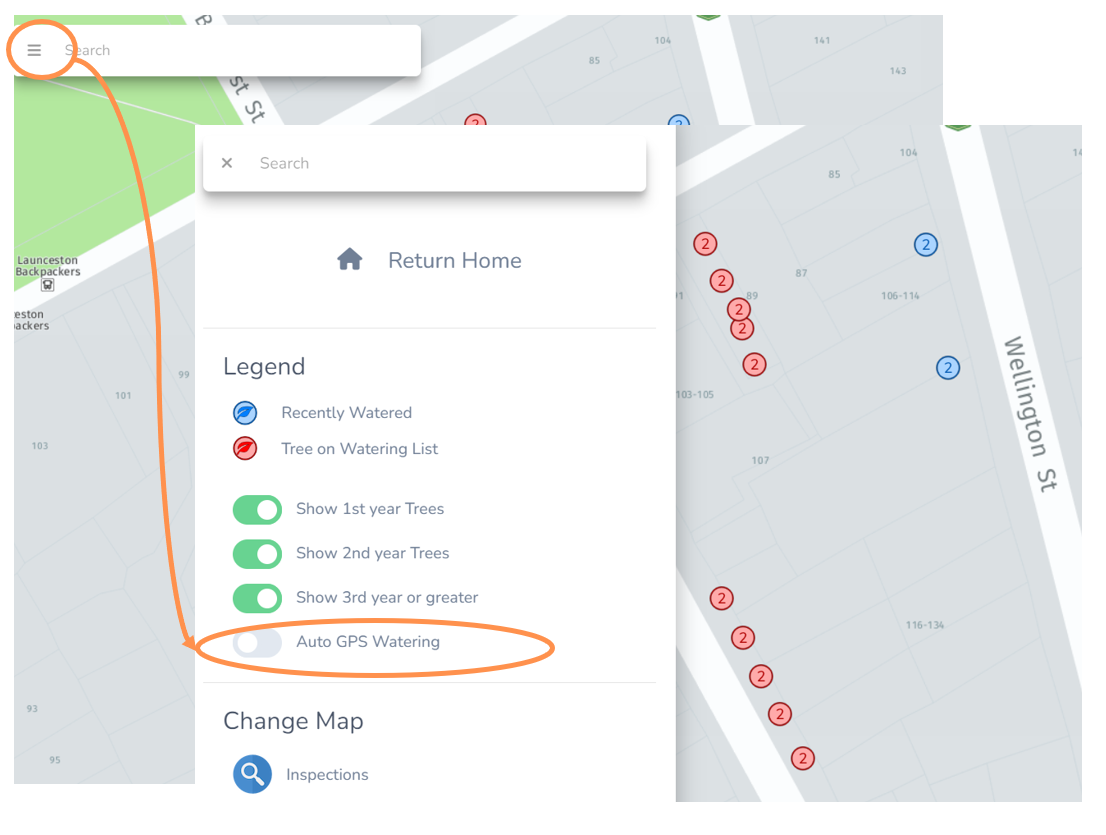
Auto GPS Watering
Having real-time watering data is very useful, but the data entry can be tedious.
Thankfully Forestree has an Auto GPS Watering function to save data entry time on the watering trucks!
When it is enabled on an internet capable mobile device (like a work tablet), it will use the GPS location to follow the Water Truck.
When the truck gets within 5 meters of a tree asset that is due for watering (red icon marker) and the truck is stationary for at least 8 seconds it will automatically select the water the tree button for that tree asset and turn the marker to a blue colour.
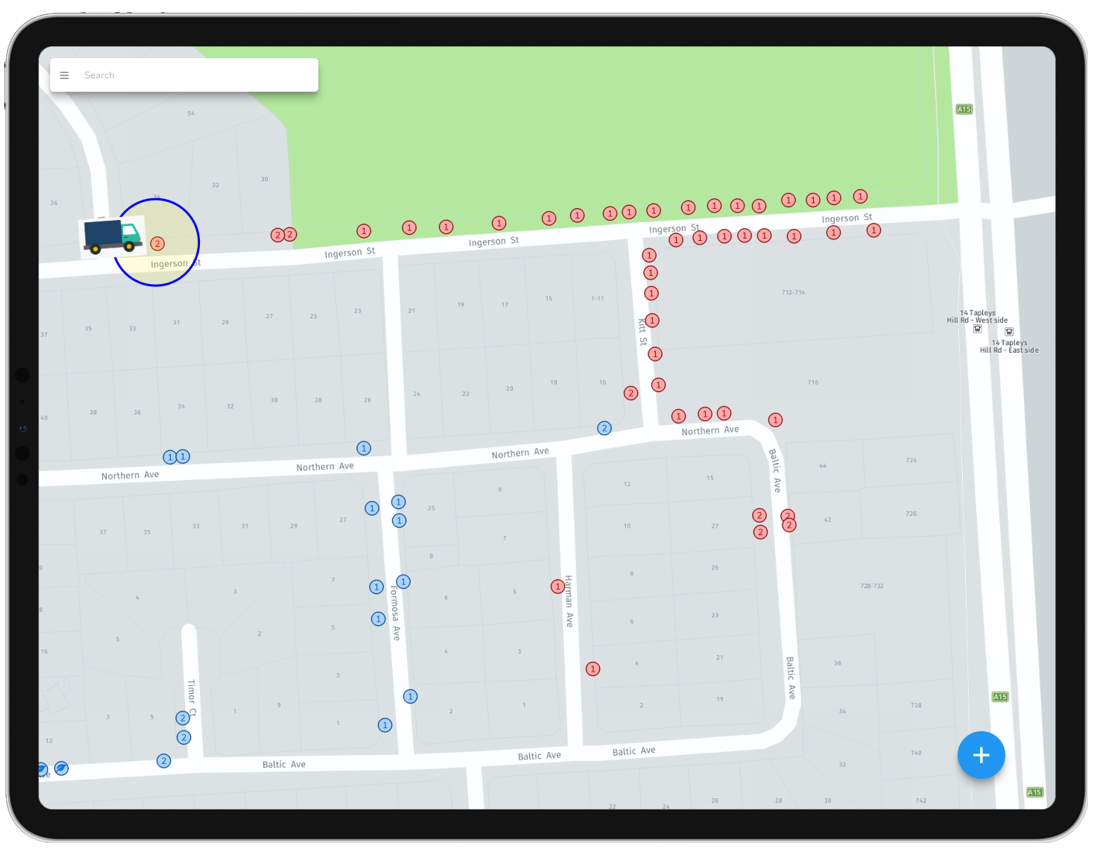
Turn on the automatic GPS Watering
Keen to get this function going?
• Make sure you are using a mobile device or tablet that is data enabled.
• Navigate to the Watering Map view.
• Select the three dashed lines to open the menu.
• Select the Auto GPS Watering toggle button.
• Proceed with your watering and Forestree will log your work automatically. Neat.