
Works Project
A Works Project lets you bulk select existing work and assign to a user or contractor. A few examples for a Works Project are:
- Select all the pruning works in a certain suburb and assign to a contractor.
- Select all the HIGH priority works and assign to Arb Team 5.
- Select all the MEDIUM priority works requiring an EWP and assign to a contractor.
Create a Works Project
Works Projects can be created through the Works Required List from the Dashboard.
Click the Toggle Map button to show the map of all current works, then click the Draw Area button to draw a polygon and select the works you want. You can also use the dropdowns to filter the works by priority, suburb, work type and equipment required.
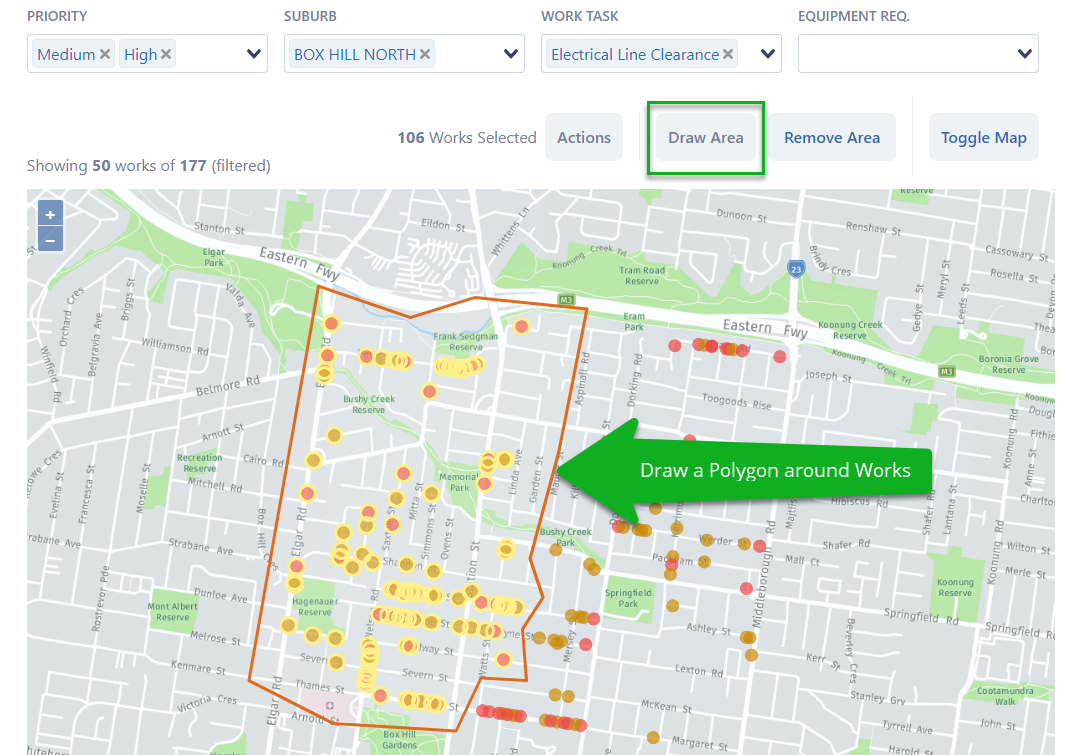
NOTE: You can edit the drawn polygon by clicking and dragging anywhere along the orange line.
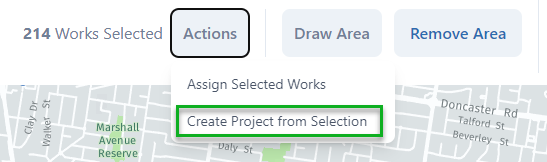
Once you're happy with the Works you have selected, click the Actions button and choose Create Project from Selection.
Give the Project a name and you can add notes describing the project.
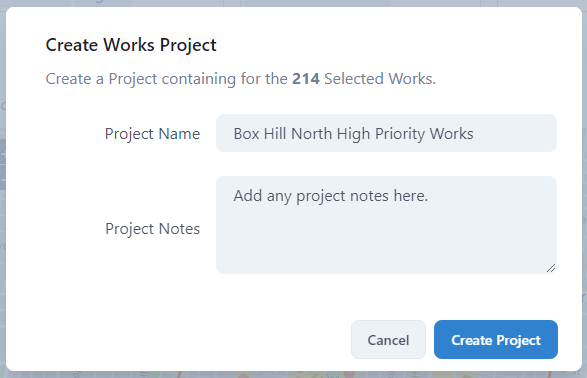
Click Create Project and your Works Project will appear on the Projects page and ready to assign to a user or contractor.