
Planting Project
Planting Project
A Planting Project lets you select trees through the Data Analyser and assign to a user or contractor to be add, assess and/or plant trees. A few examples for a Planting Project are:
- Select all planting locations within a selected suburb to be assessed for next year's planting season.
- Select all planting locations of a specific preferred species to be planted.
- Select all planting locations within the entire Council area and create a project to find and add new planting locations.
Create an Planting Project
Planting Projects can be created through the the Data Analyser.
Click on Reporting fromt the Dashboard, then click on Data Analyser.
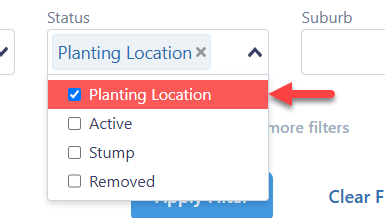
Make sure the Status filter is set to Planting Location:
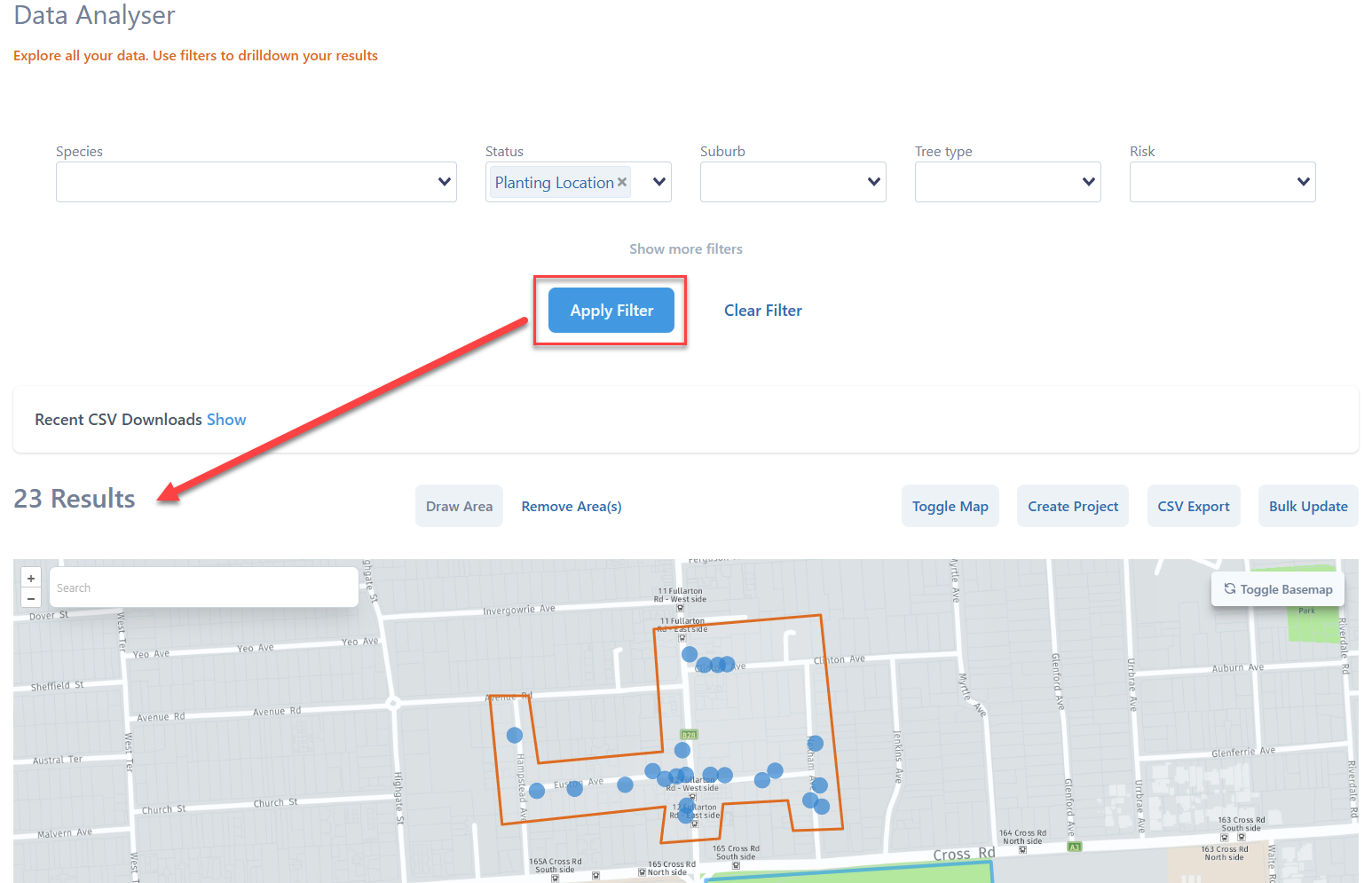
Click the Toggle Map button to show the map, then click the Draw Area button to draw a polygon to define the project area (or Choose an Area). You can also use the dropdowns to filter the planting locations (e.g. Planting status, approved year, preferred species etc).
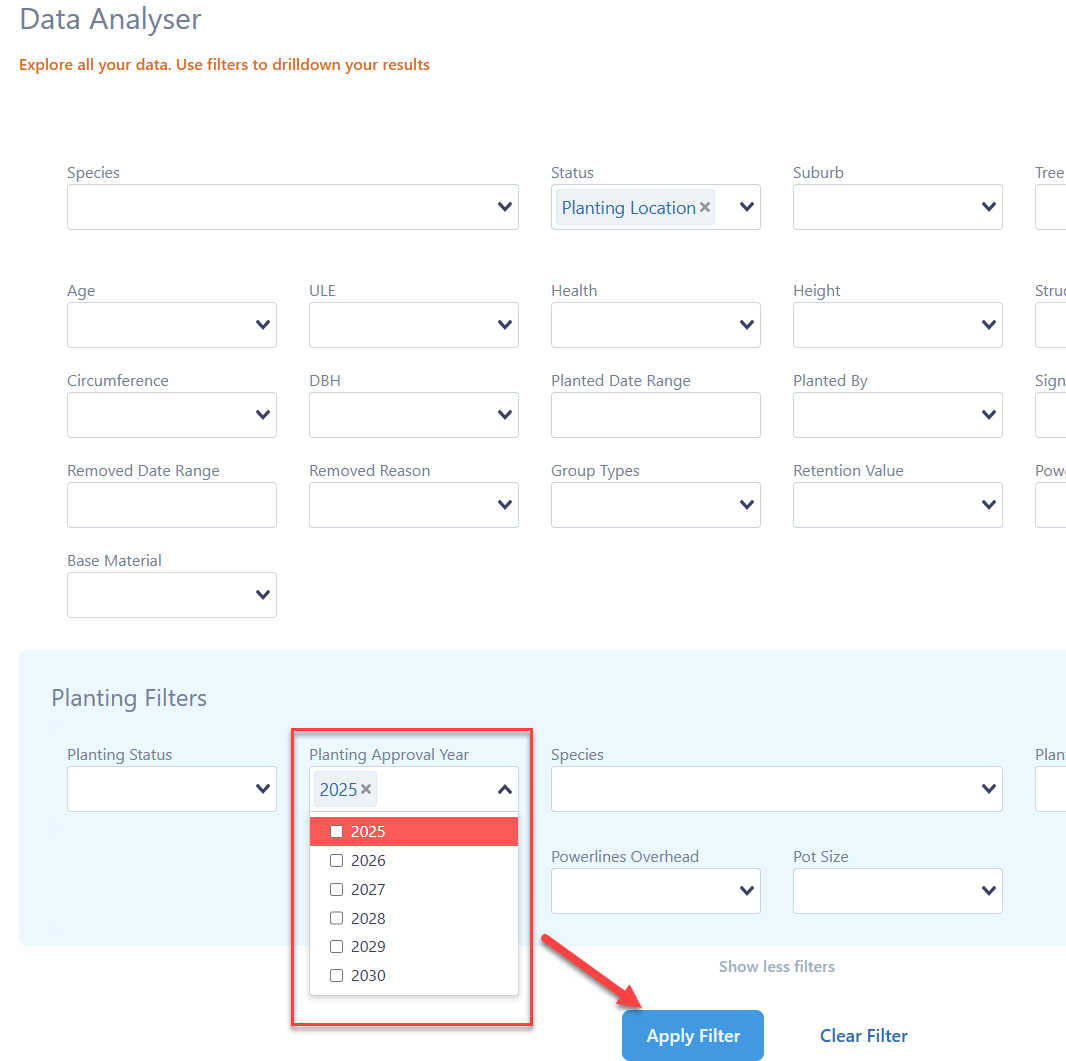
Once you have drawn the project area and selected any filters you want, make sure you click the blue Apply Filter button so the planting locations filter to the area:
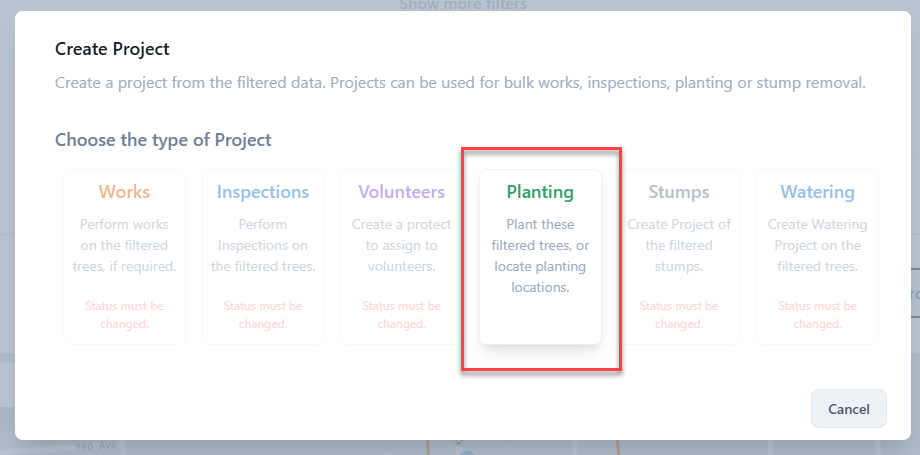
Once you're happy with the area, click the Create Project button and select Planting:
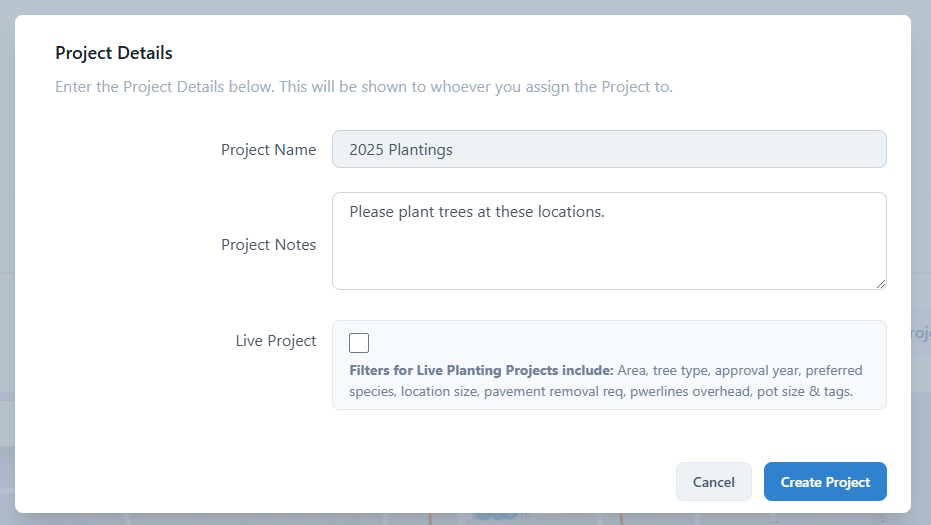
Give the project a name and any notes, then click Create Project:
Live Planting Project
You also have the option to create a LIVE Planting Project. This means that if you add or change any planting location and they meet your filter criteria, they will automatically be shown within the Live Planting Project.
For example, if you want to show all Planting Locations that have been approved for 2025, you can use the filters in the Data Analyser:
Then create a Live Planting Project by checking the Live Project checkbox when creating a new project:
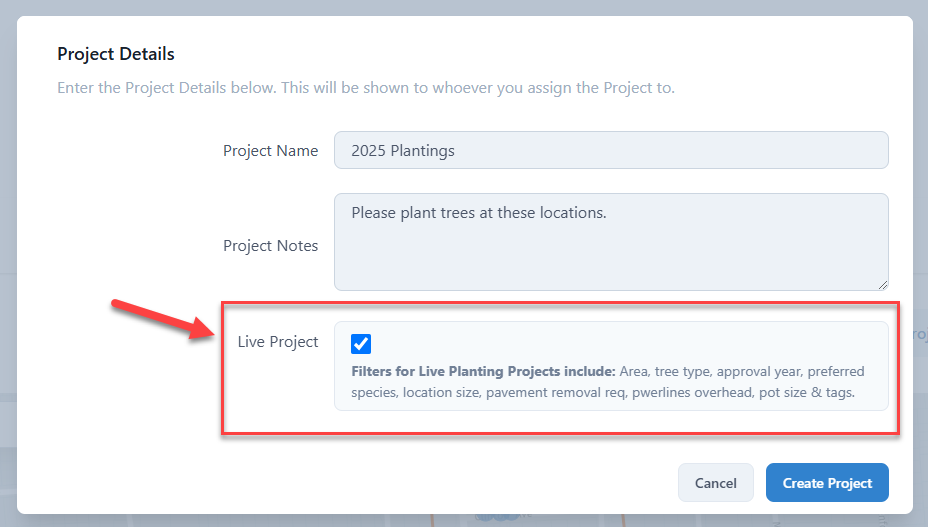
A Live Project is dynamic, so in the example above, if you approve additional locations to be planted in 2025, they will automatically show in the project.
The filters that can be used in a LIVE Planting Project are:
- Tree Type
- Approval Year
- Preferred Species
- Location Size
- Pavement Removal Required
- Powerlines Overhead
- Pot Size
- Tags
The Planting Project will then appear on the Projects page ready to be assigned to a user or contractor.