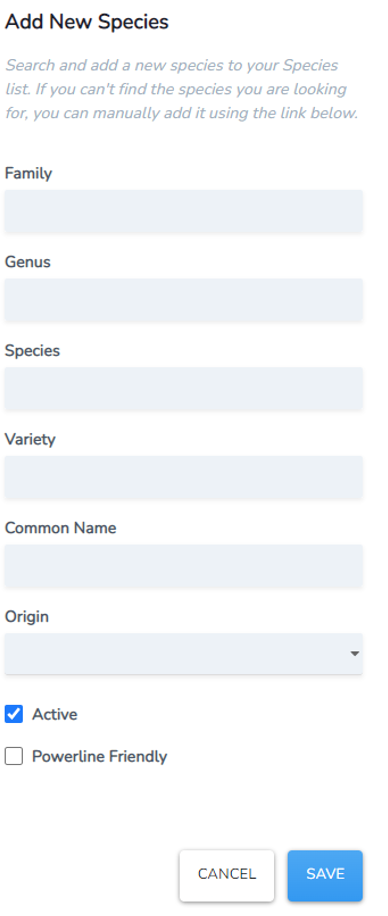
Species Management
Customise your species list, add new and hide species from your lists. Or update a current record (common names vary regionally and botanists do change species classifications occasionally!).
• Navigate to this tool by selecting the Species Management tab at the top of the Admin Settings page.
• The default is to show all your tree species in your asset register.
Update Species List
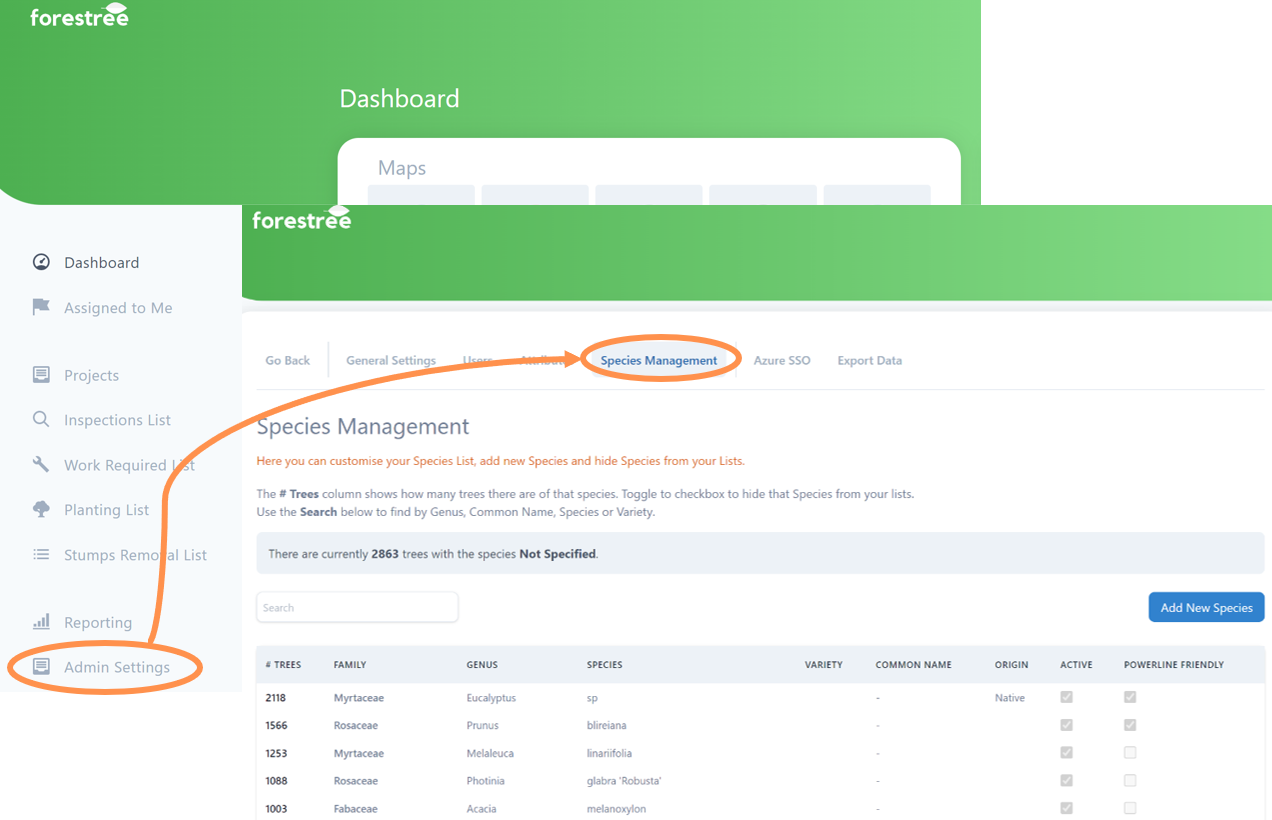
• Use the search bar to type in either the genus, species, variety or common name.
HINT: You can just put in a few letters and the list will start to sort. In the example below the letters “call” have already narrowed the list down to a smaller group easy to select a callistemon from.
• Select the species from the list by clicking on its name
• An information box will appear with all the current details allocated to that species name in your asset register in a format you can edit.
• Make any changes or add missing information as required. All fields are optional, but the more completed the better.
• Select Save.
Add New Species
Have a rare species or new varietal not in your register? Time to add a new species.
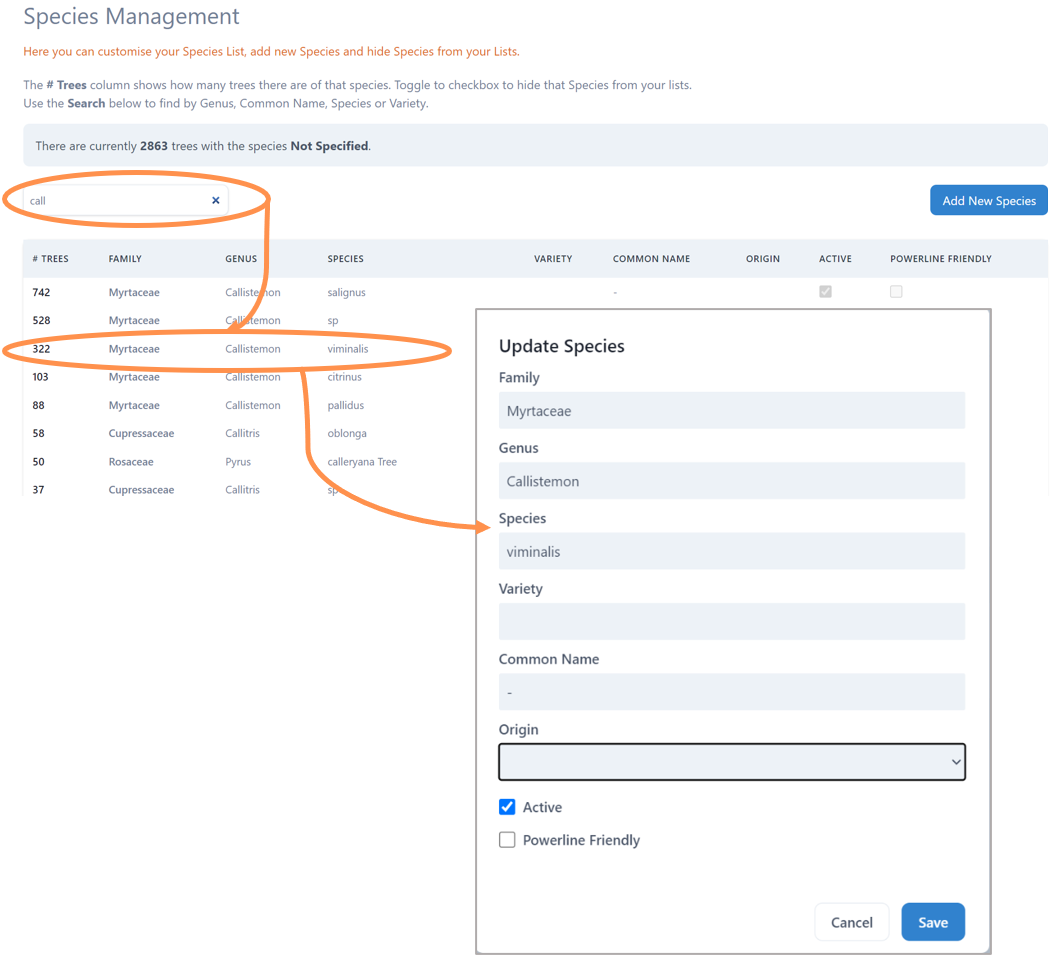
• Select the Add New Species button on the top right side of the Species Management page,
• A new box will appear and we recommend you use the convenient search bar for the new species to check it is not already in your list (no-one likes double entries)
• Confident you need to add it, then select “Can’t find a species? Click here.”
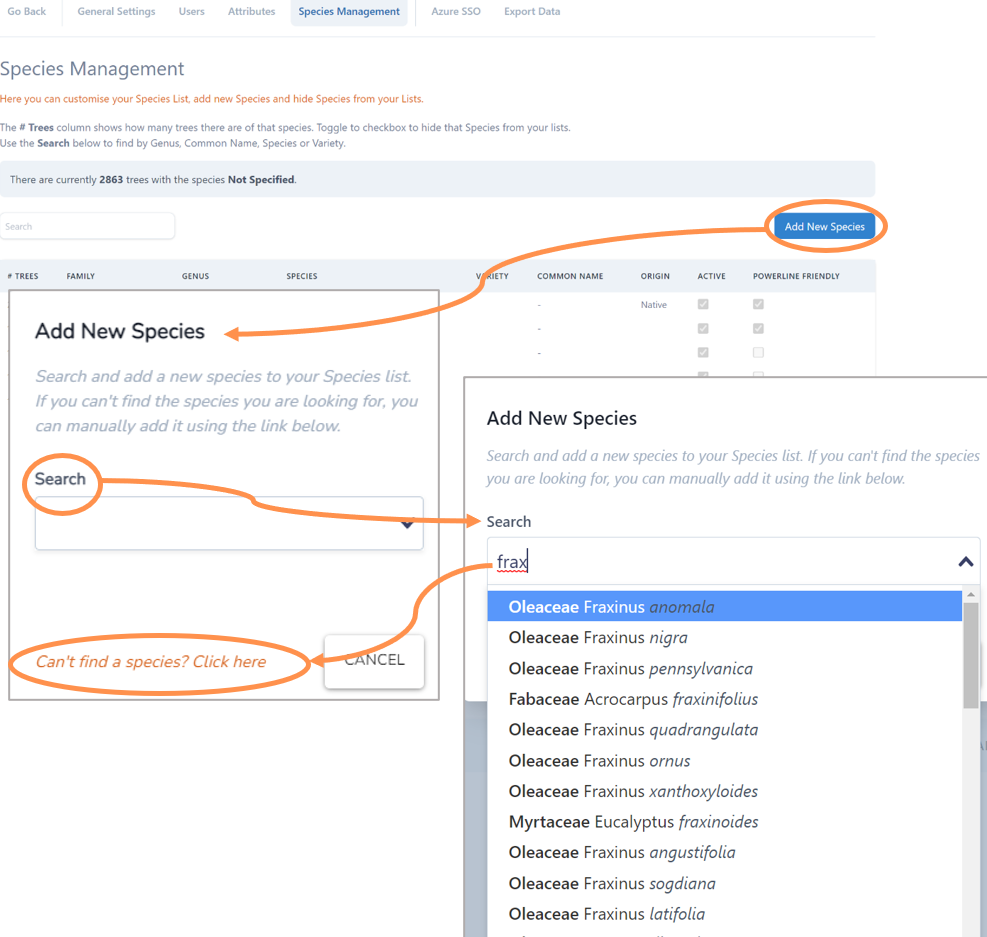
• The Add New Species form will now appear.
• Type in the species details as relevant. All fields are optional, but the more completed the better.
• The Active button is ticked “on” by default, you can click this off if you want to enter the new species but not have it available for all users.
• The Powerline Friendly button is worth selecting if you know this new species is approved in your city of use under powerlines.
• Select Save.