Convert Existing Tree to a Stump
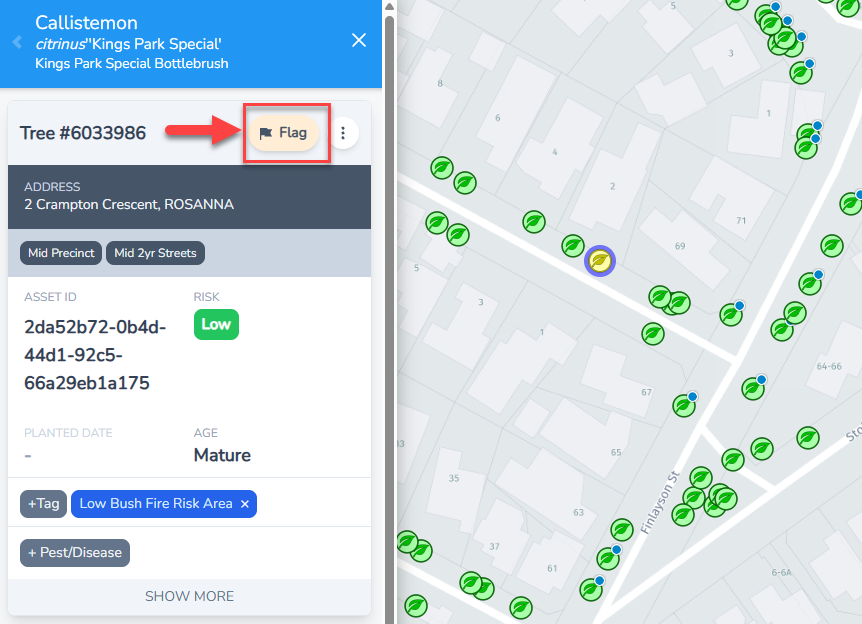
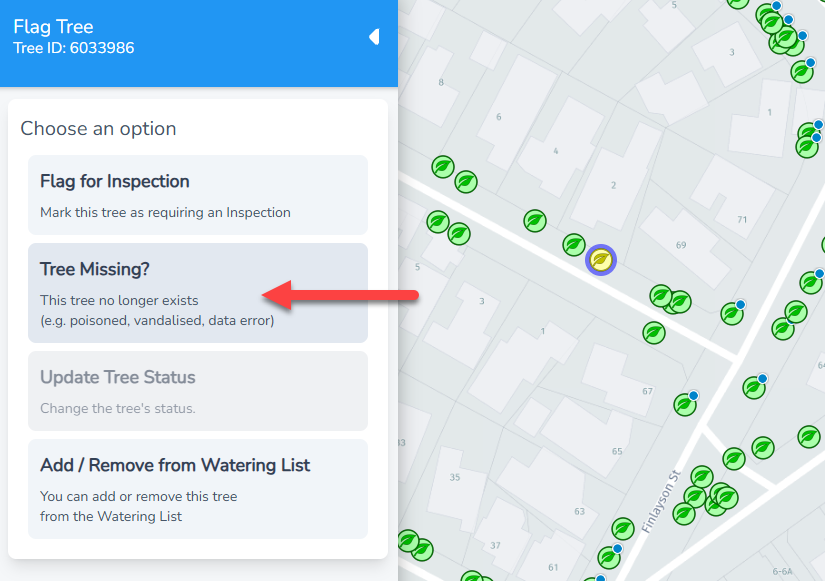
If you need to convert an existing tree to a stump, you can use the Flag Tree > Tree Missing option. See the steps and screenshots below.
Steps:
- Go to the tree on the Inspections Map
- Click the Flag button and choose Tree Missing
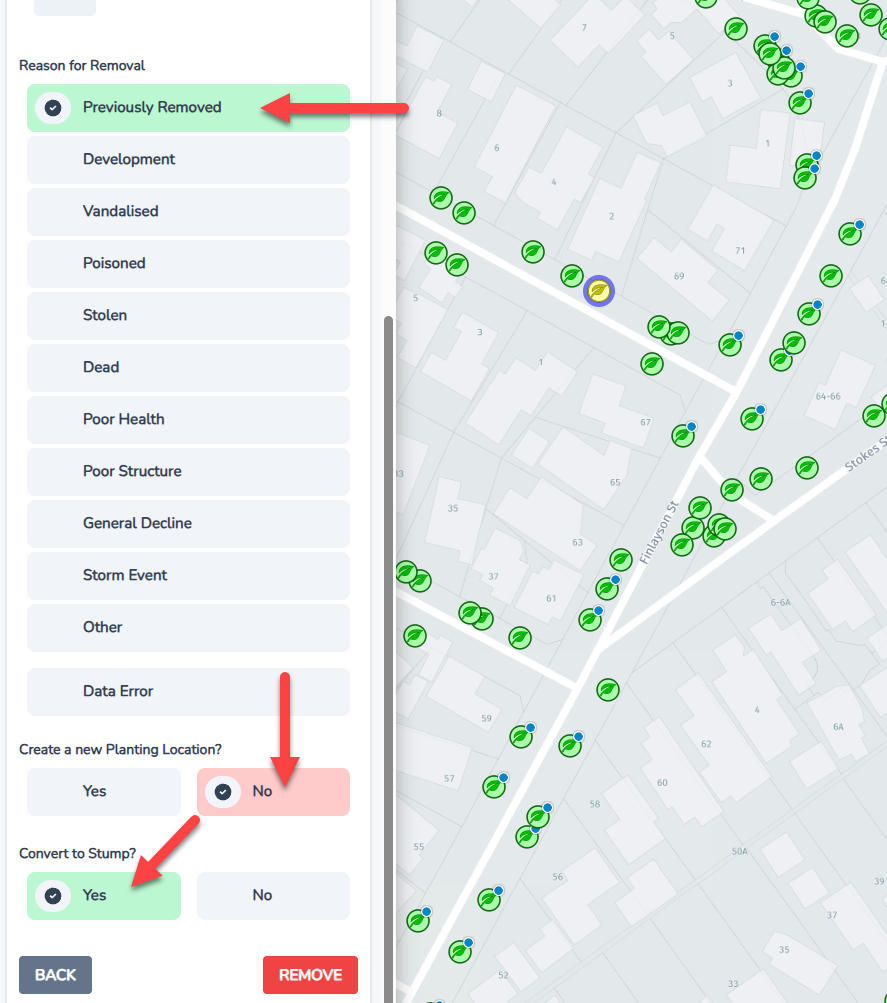
- Select a removal reason
- Choose No to create a new Planting Location
- Then choose Yes to covert to stump
Screenshots below: