Enable Watering Work Tasks
You can enable certain work tasks to be performed on the watering map (e.g. Mulching, Repair Stakes etc.).
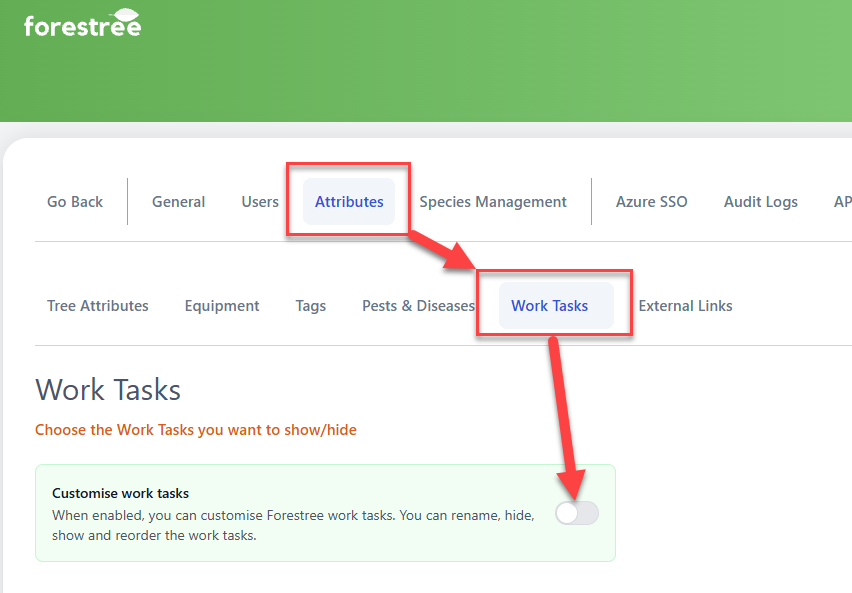
To enable Watering Work Tasks, go to Admin Settings > Attributes > Work Tasks and make sure you have Custom work tasks enabled:
Once enabled, you can the specify which work tasks can be undertaken by checking the Watering Task checkbox next to that work task:
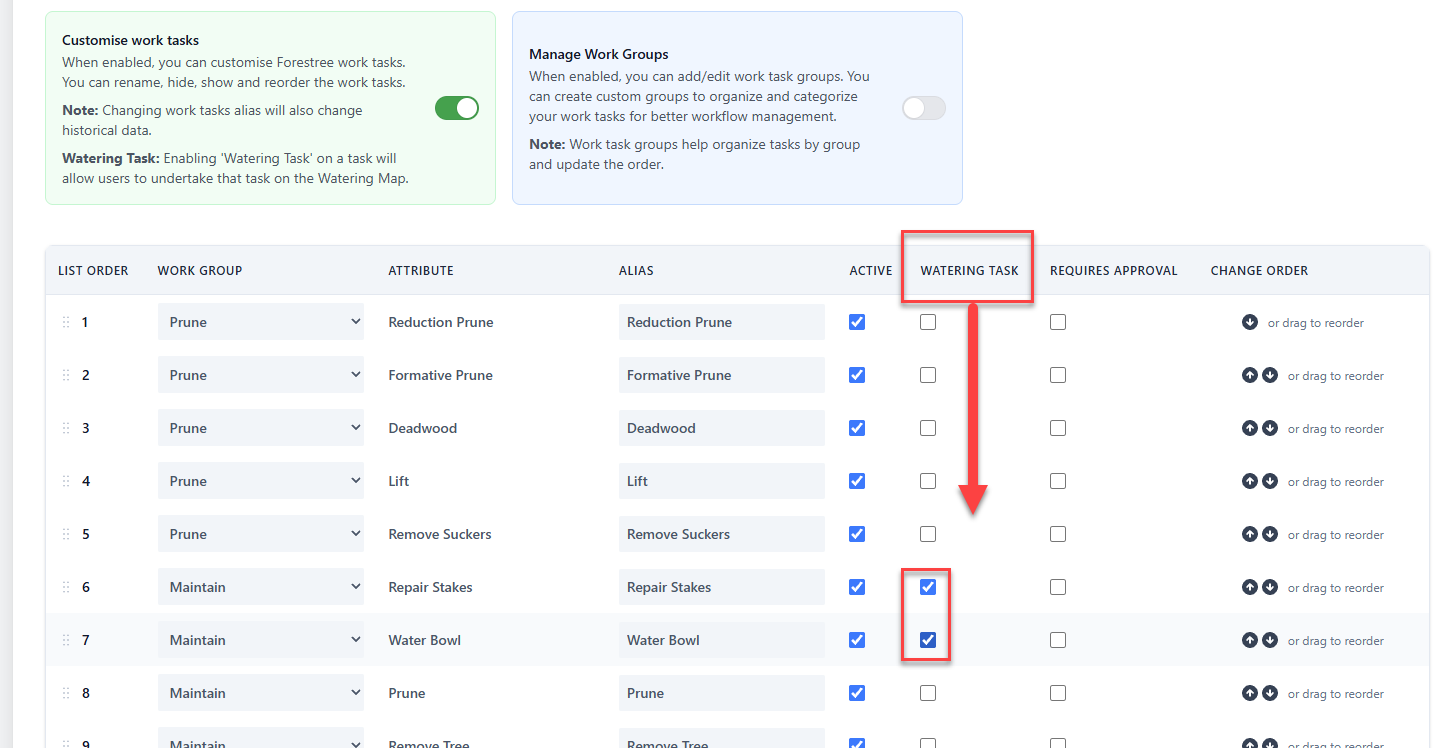
Make sure to click the Save Changes button when you're finished checking the Watering tasks.
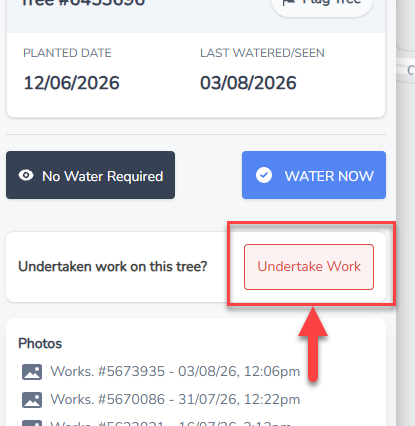
Once you hit Save, you will then see a new button called Undertake Work on the Watering Map when you click on a tree.
Clicking this button will then allow you to undertake any of the work tasks you selected in the Admin Settings, along with adding Notes and Photos.