
Migrating Legacy Pest & Disease Data
Prior to this Pest & Disease (PD) feature, Forestree supported PD tracking through a simplified tagging system. This system is still supported, and once the new feature is enabled, this will be marked as 'legacy' in your system. You can migrate any data from the older way of tracking.
Migrating
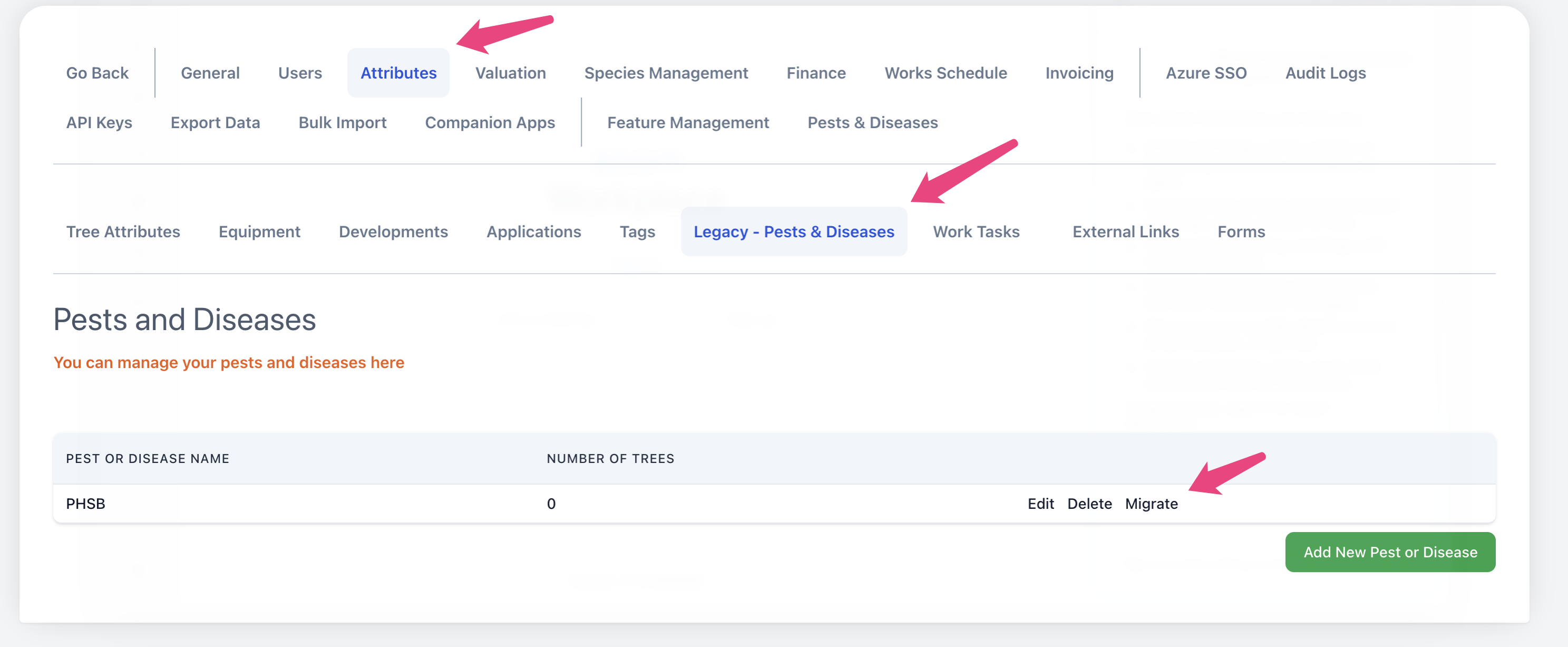
Navigate to Admin Settings > Attributes > Legacy - Pests & Diseases. Find the PD you would like to migrate and click 'migrate'.
You will be prompted to select the new PD that this data should be migrated to and a default symptom to apply to all of the trees migrated.
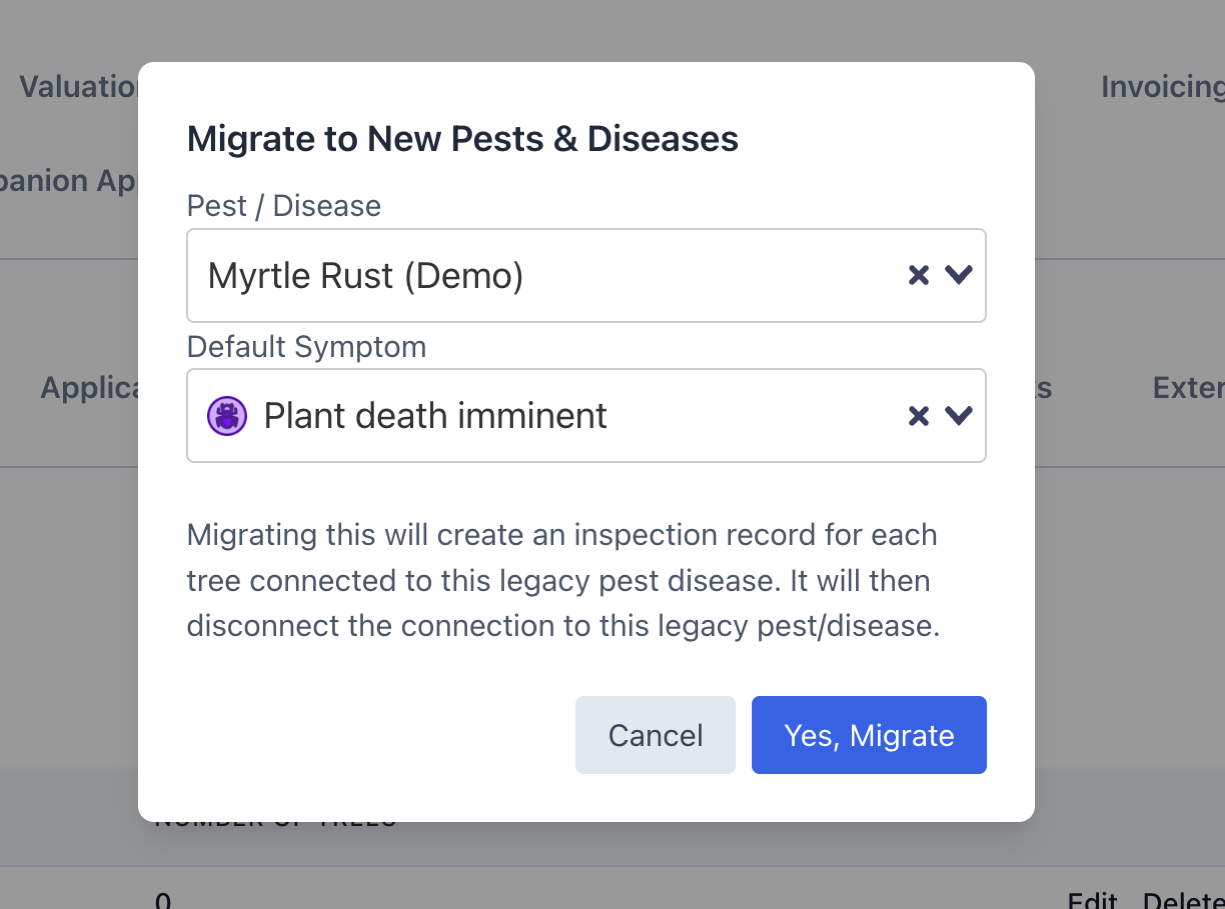
Completing this migration will create an inspection record against each tree that has been migrated with the selected symptom. In the notes for this inspection it will note that is was created through a migration.