Dashboard
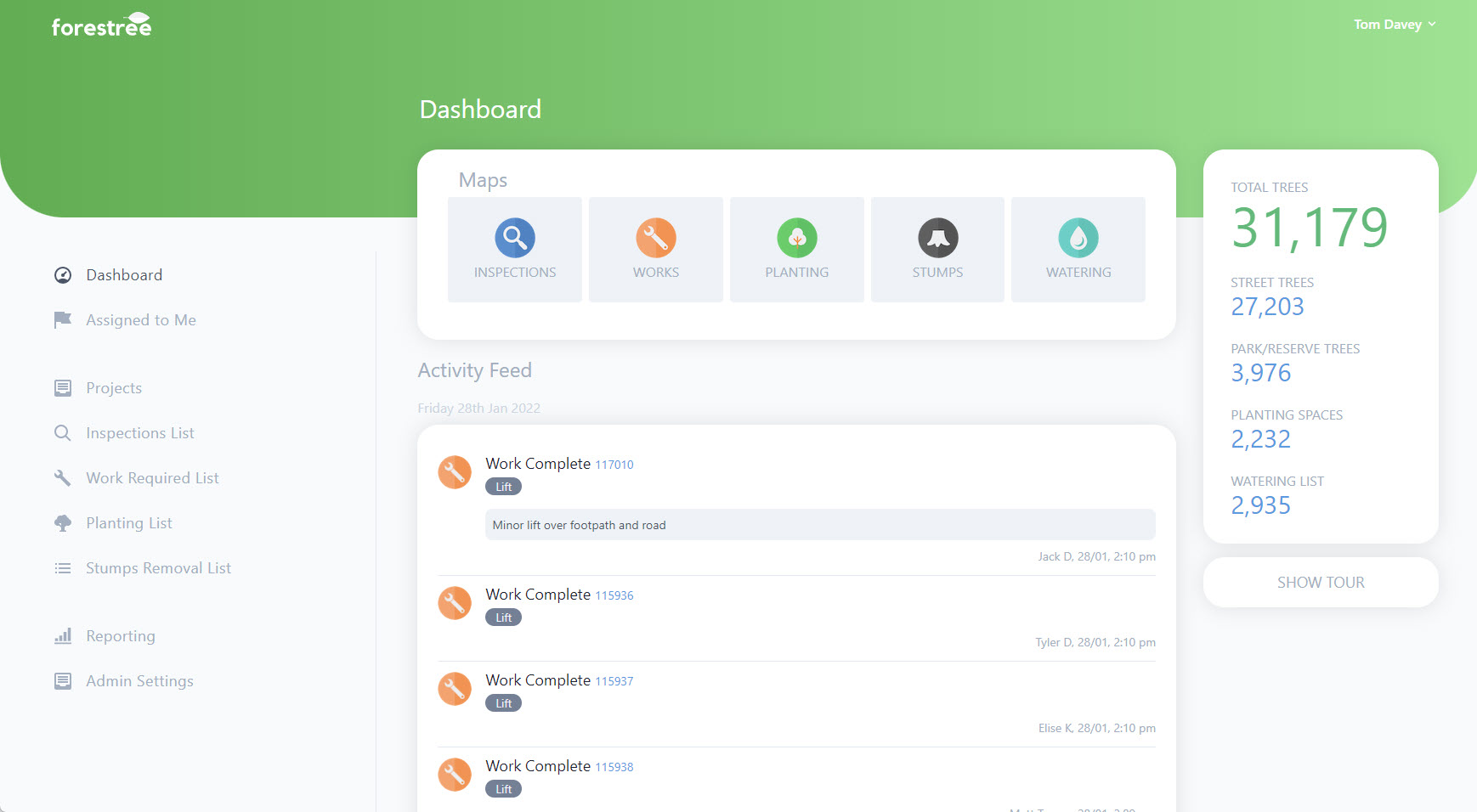
When you log into Forestree, you will be presented with the Dashboard.
Here you will be presented with an Activity Feed in the middle of the page which show all activity from the previous 7 days.
You can have a quick summary of how many trees you have on the right.
And you can access all your Lists, Reporting and Admin Settings on the left.
The Maps
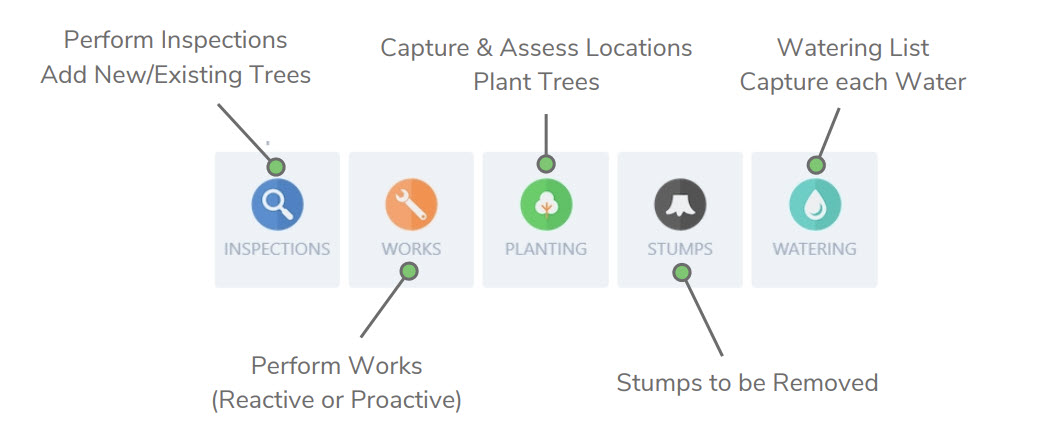
Up the top is your Maps where you undertake your work. Below shows what functionality each map has:
Getting back to the Dashboard
To get back to the Dashboard you can click the Forestree logo in the top left of screen.
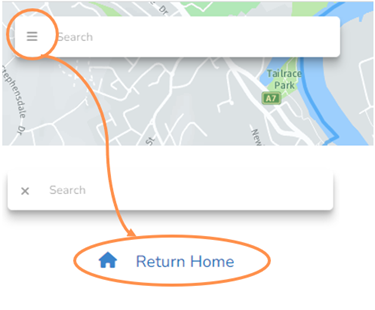
If you are on a map view, select the three horizontal lines beside the search bar and then click Return Home.