Configuring System Pests & Diseases
Please see system and custom for an overview of the difference between system and custom pests & diseases (PDs).
Getting started
To configure a pest/disease you must be a super admin for your client. Navigate to 'Admin Settings' in the sidebar, and then to 'Pests & Diseases' in the admin settings menu.

Select the PD you would like to configure from the system list by clicking 'customise'

Spread Radius
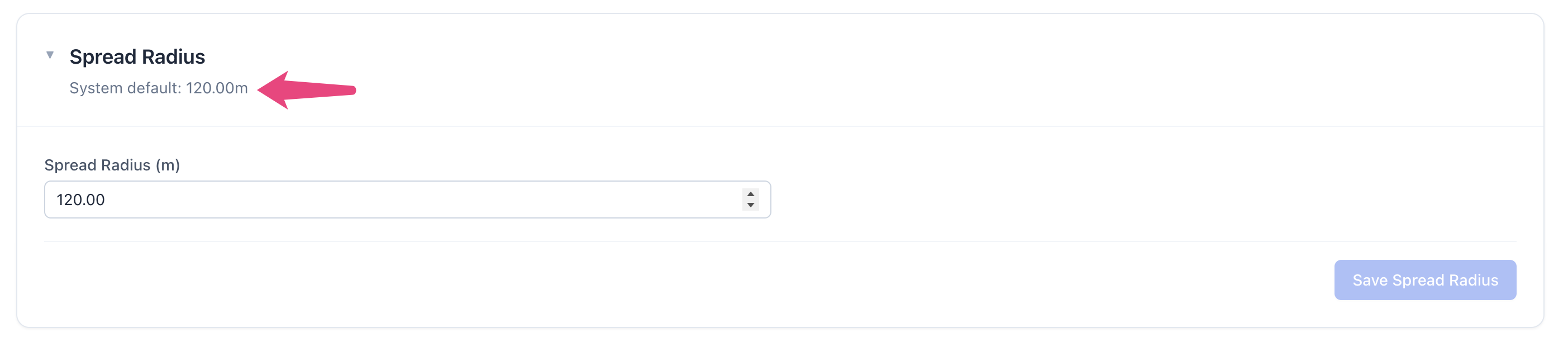
Spread radius can be updated to any metre value. The system default is shown above the text entry field.
Work Tasks
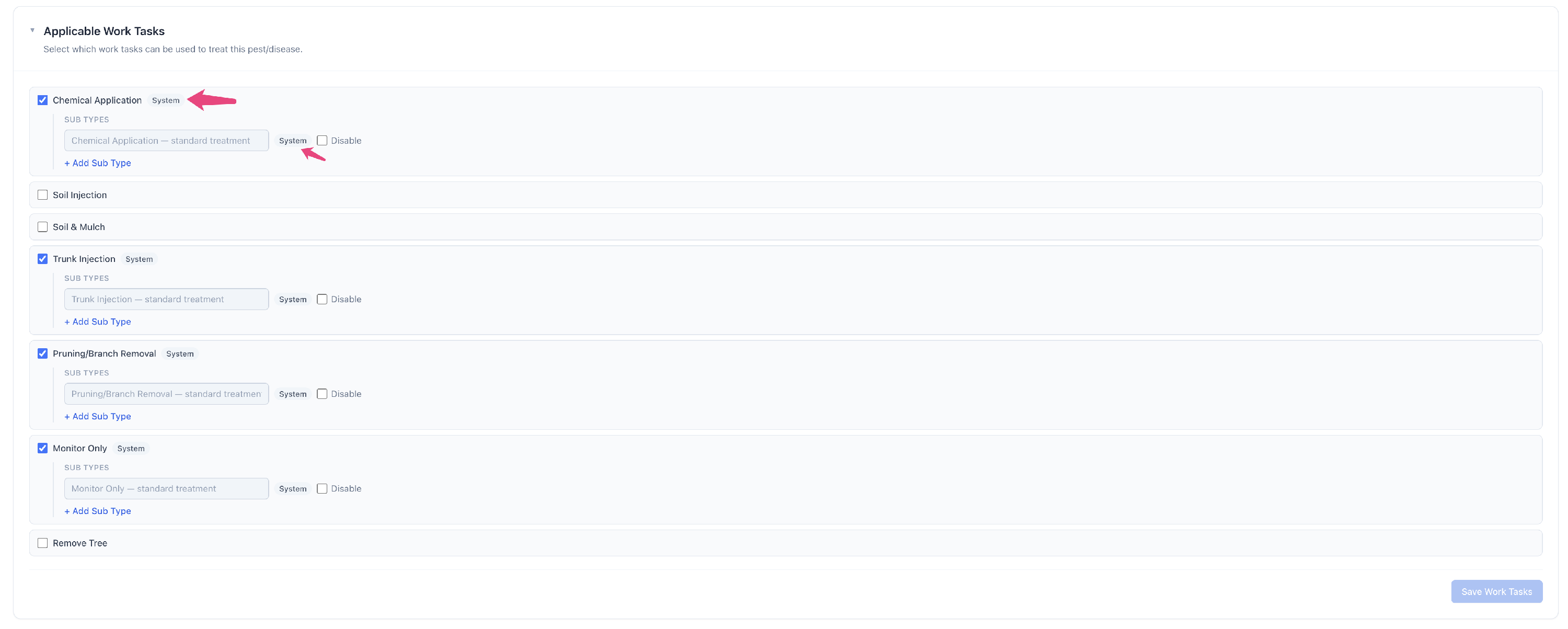
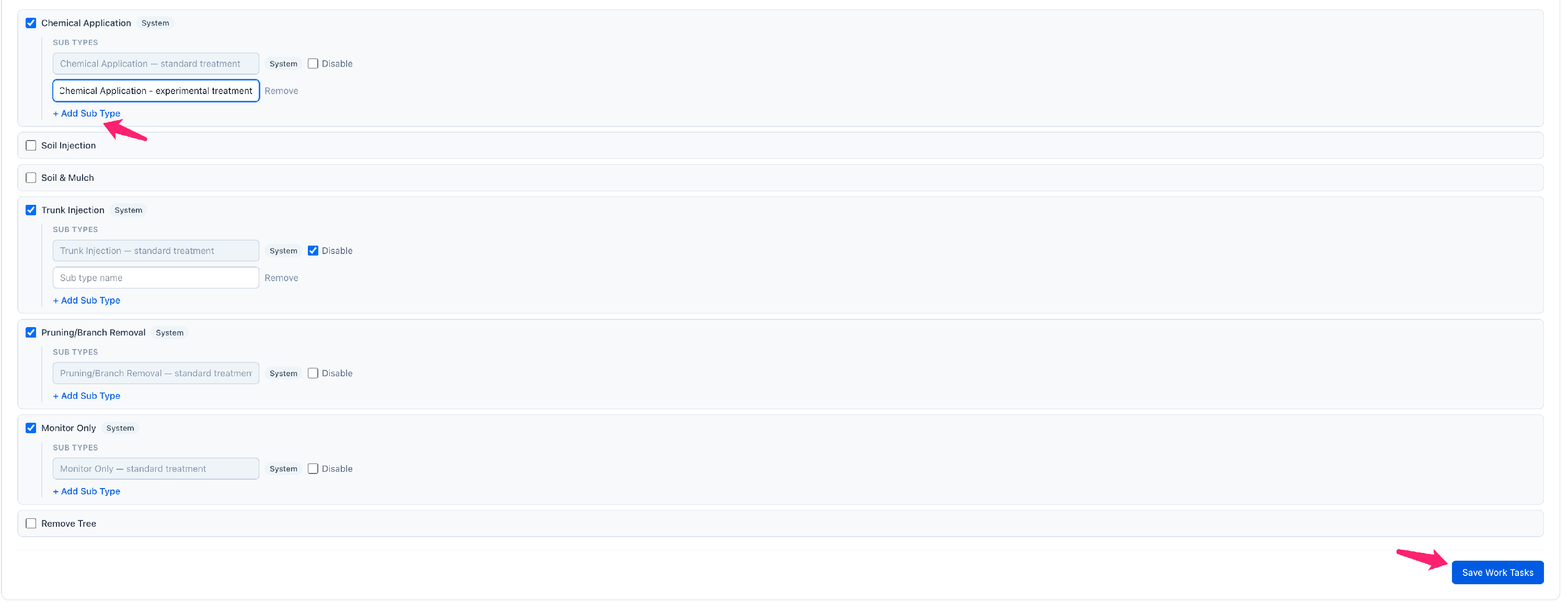
System PDs have default/system work tasks and sub types, indicated by the 'system' badge.
Disabling system work tasks and sub types
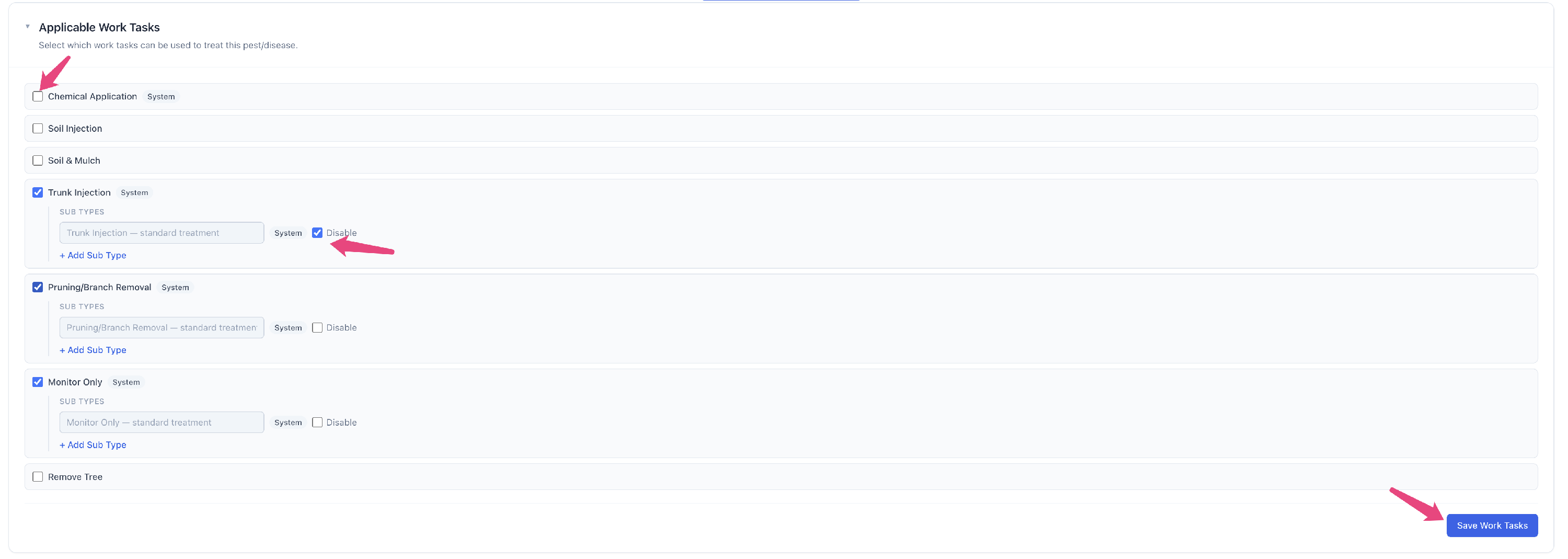
You can disable a system work task by unchecking the checkbox next to it. You can do the same by checking the 'disable' checkbox next to a sub type. You should then ensure to save your changes by clicking 'Save Work Tasks'.
Enabling non-default work tasks
You can enable a non-default work task by checking the checkbox next to it. You should then ensure to save your changes by clicking 'Save Work Tasks'.

Adding custom sub types
To add a custom sub type, click 'add sub type', enter the name of that sub type and then save you changes by clicking 'Save Work Tasks'.
Symptoms
System PDs have default symptoms, including groups, severity levels and photos.
Groups and severity levels are not able to be overridden. If you would like to change a specific symptoms severity or group, you should disable that symptom and create a new one.
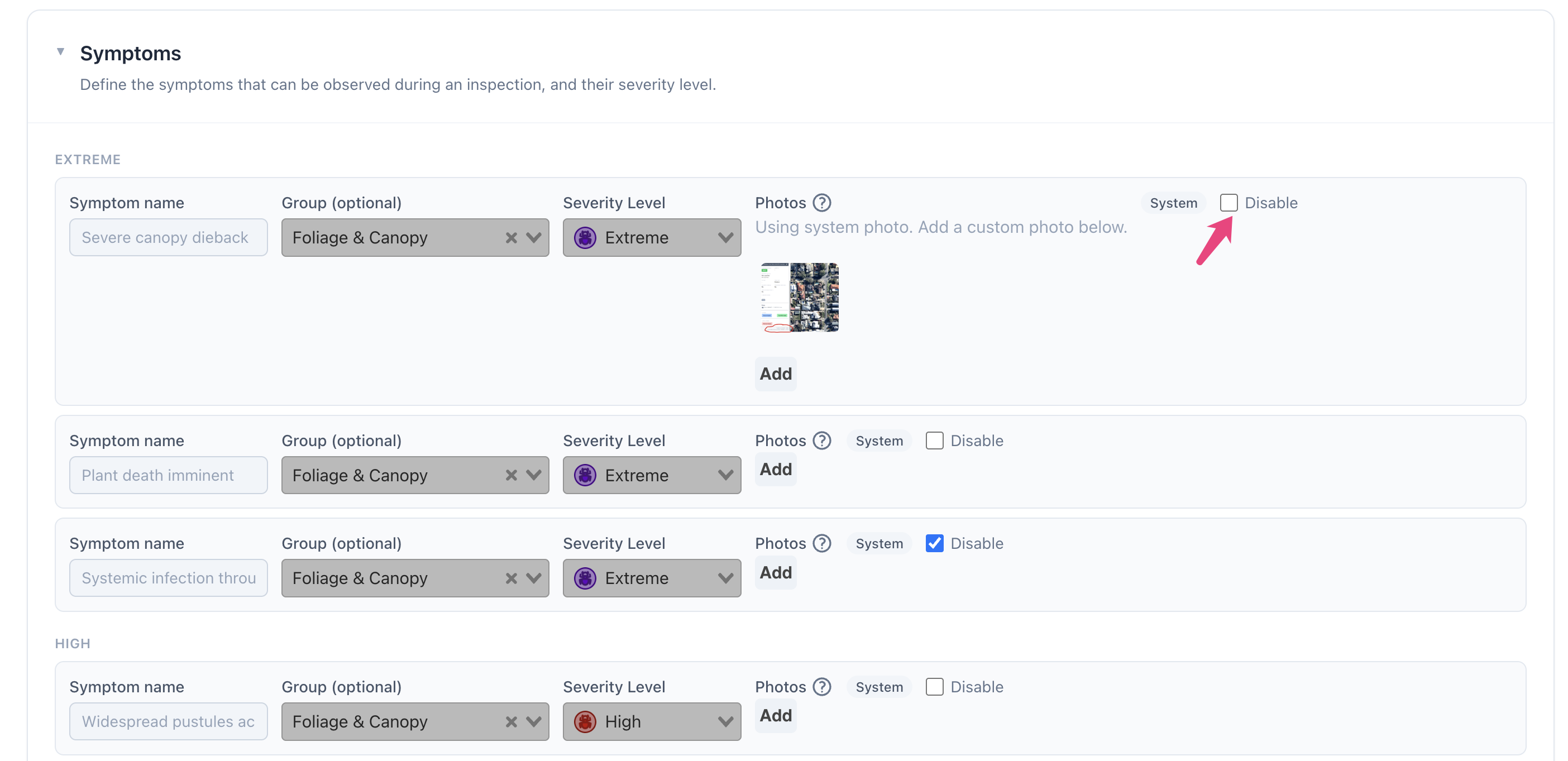
Disabling a system symptom
Check the 'disable' checkbox on the symptom row and click 'save symptoms'.
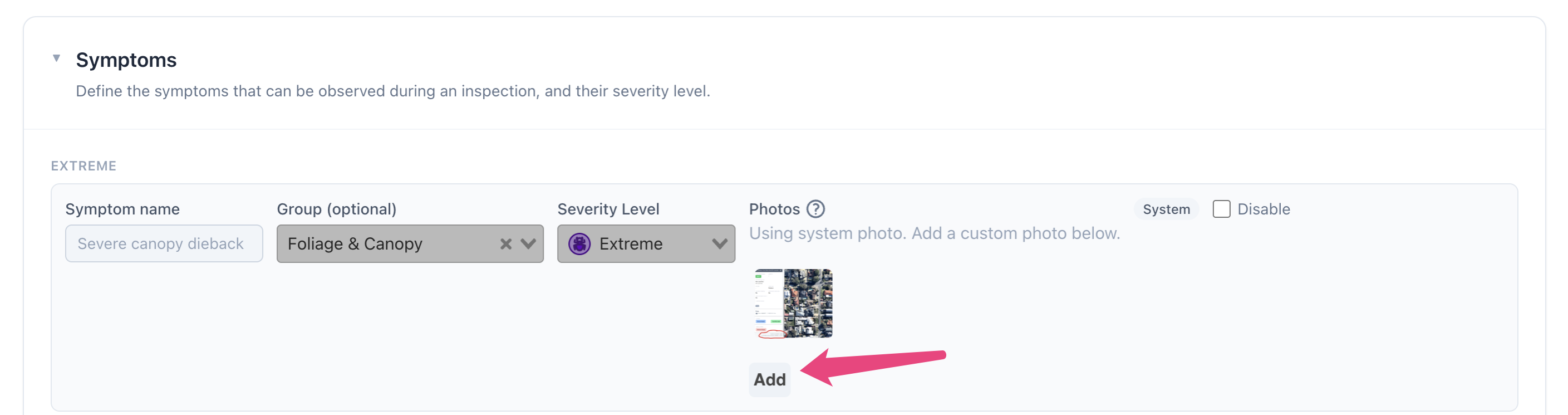
Overriding a system symptom photo
Click the 'add' button below the system photo. This will queue the photo for upload. Once you have uploaded photos for as many symptoms as you would like, click 'save symptoms' and all of the photos will be uploaded.
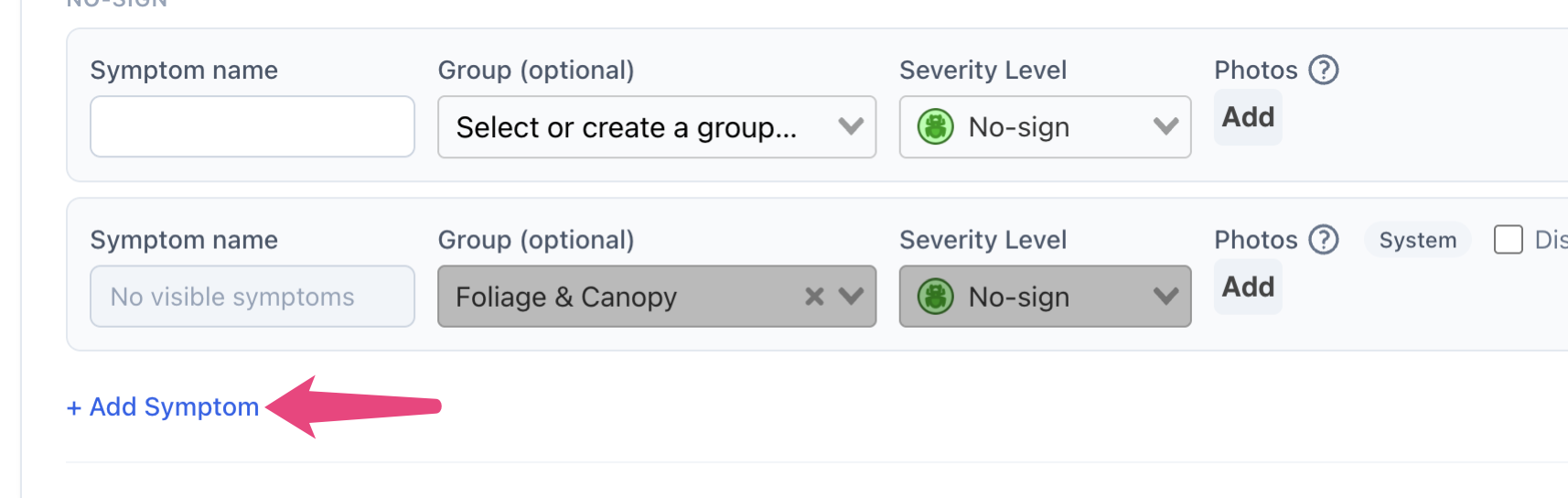
Adding an additional symptom
Scroll to the bottom of the symptom list and click 'add symptom'. You can then name the symptom, and select which group it should be included in (including system groups, or no group). You should then select a severity level. Once you have completed this, click 'save symptoms'.
Susceptible species
Susceptible species can be overridden and customised for system PDs.
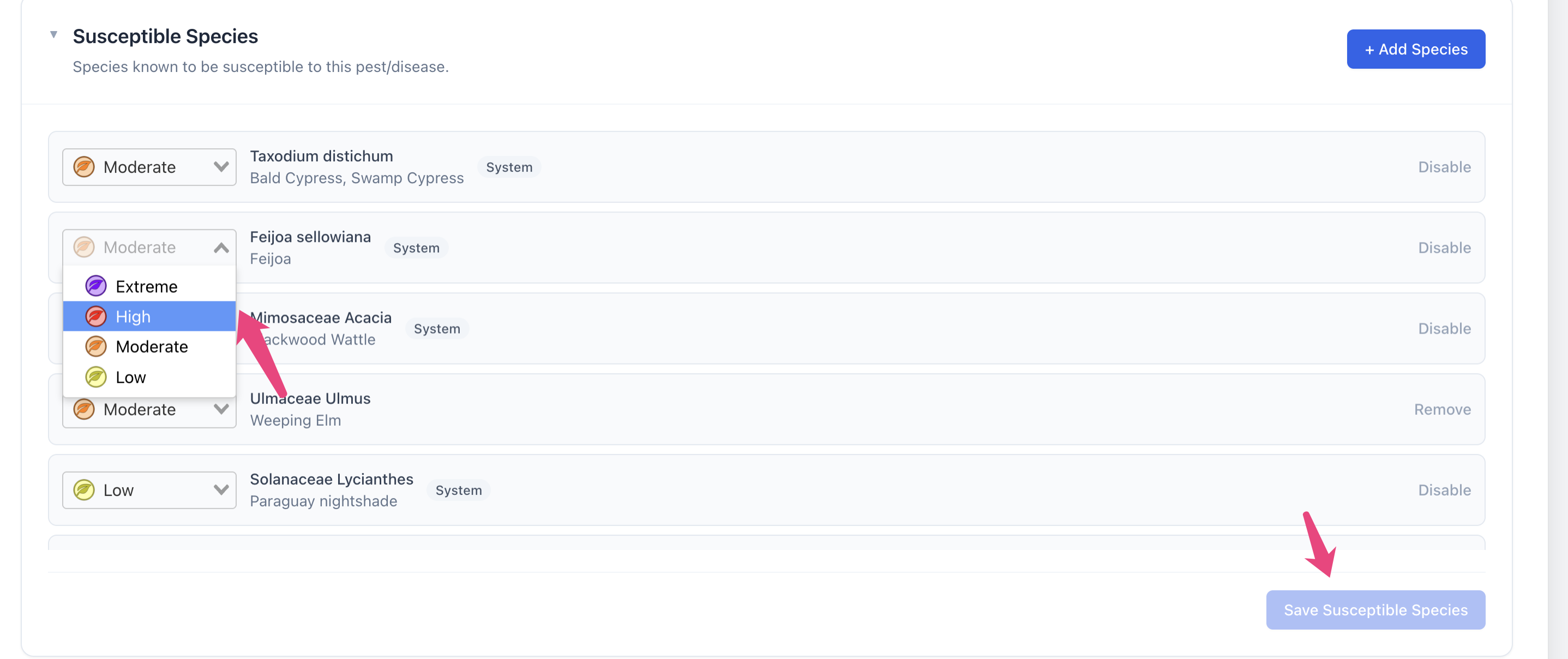
Overriding susceptibility
Select the new susceptibility from the dropdown and click 'save susceptible species'. If you want to remove this species entirely, you should instead click 'disable'.
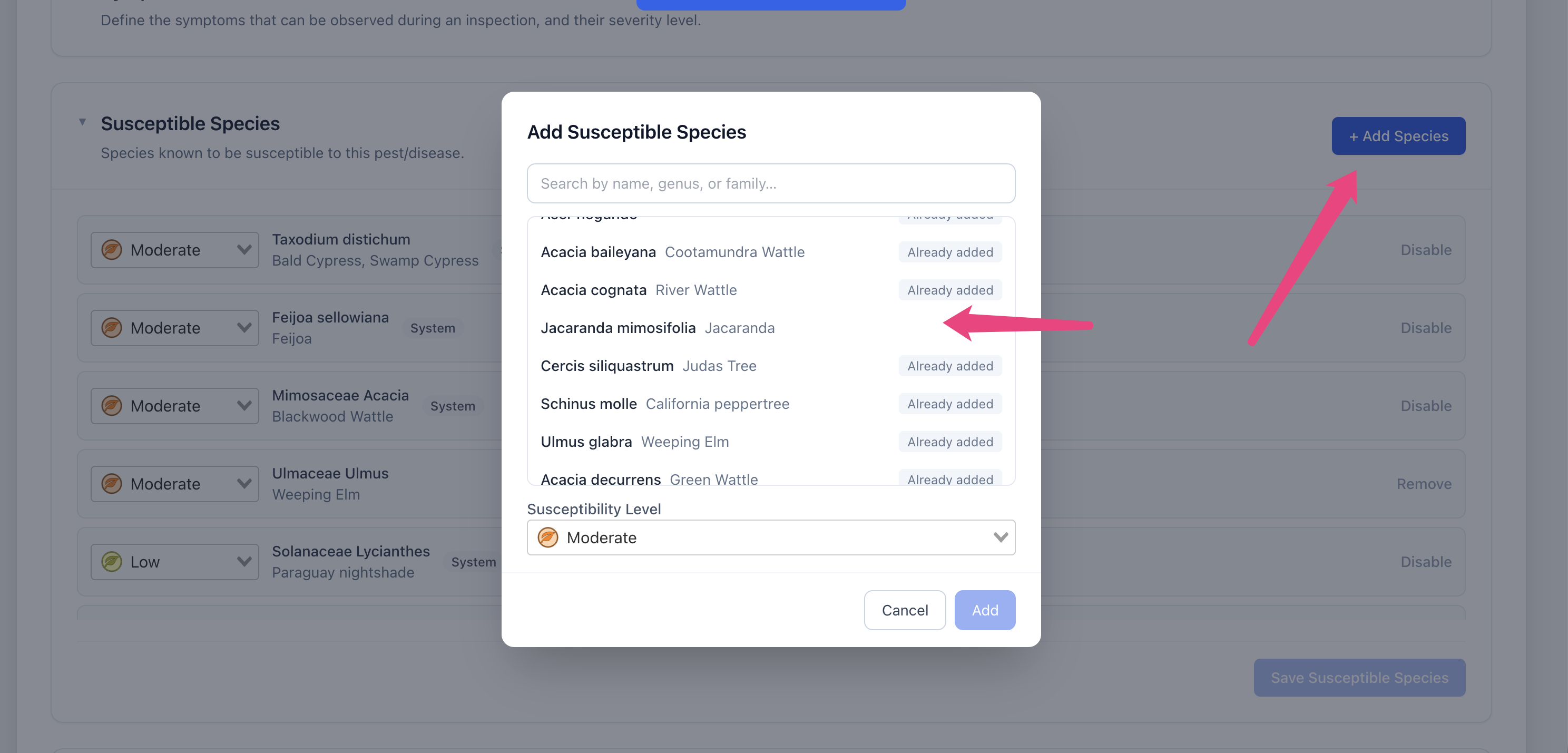
Adding a new species
Click 'add species' button. Select as many species as you would like to for this susceptibility level and click 'add'.
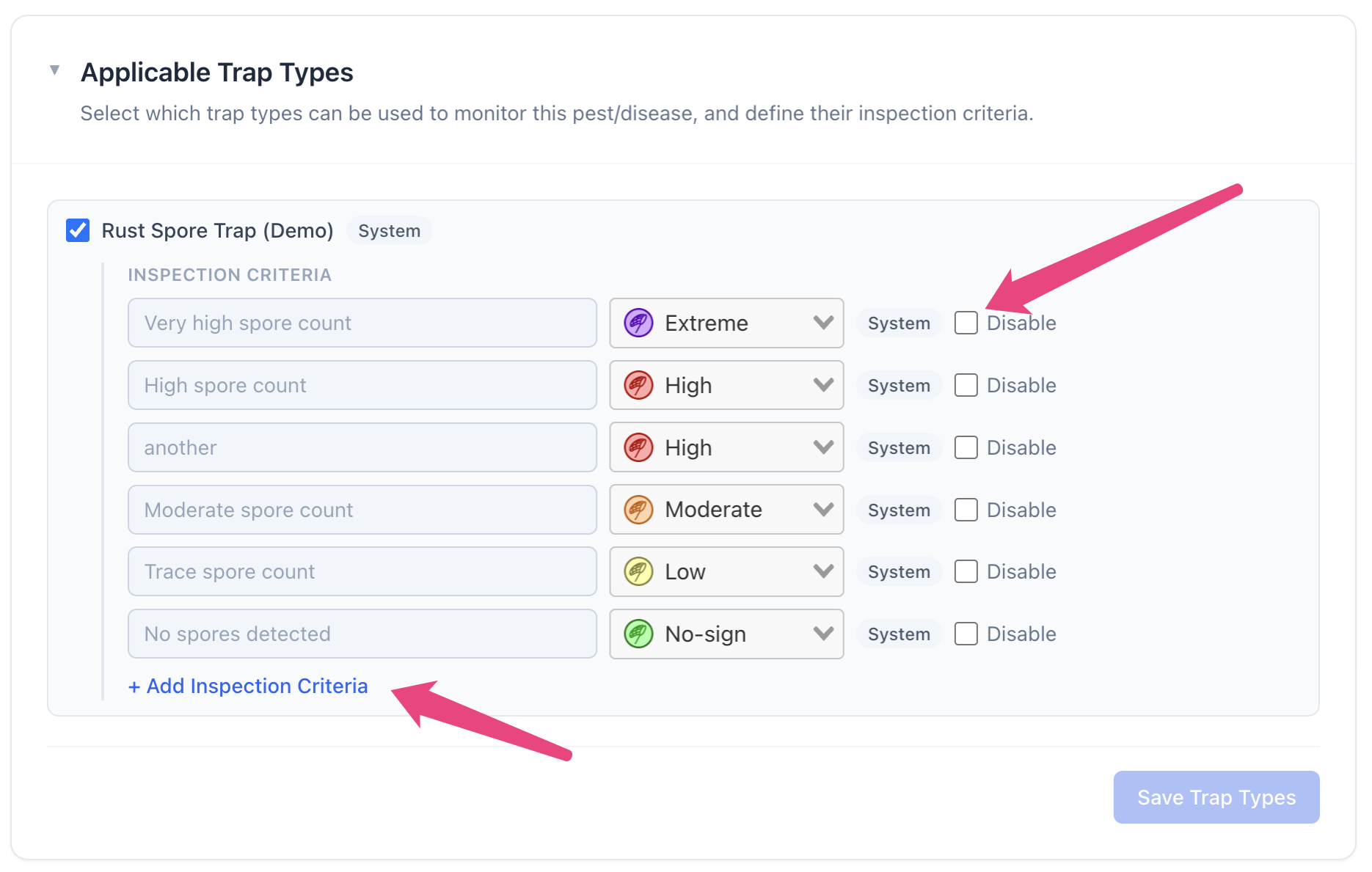
Applicable trap types
Applicable trap types can be customised for system PD. You can enable/disable a trap type by checking the checkbox next to it.
You can also disable or add inspection criteria for each trap type.
Applicable inspection types
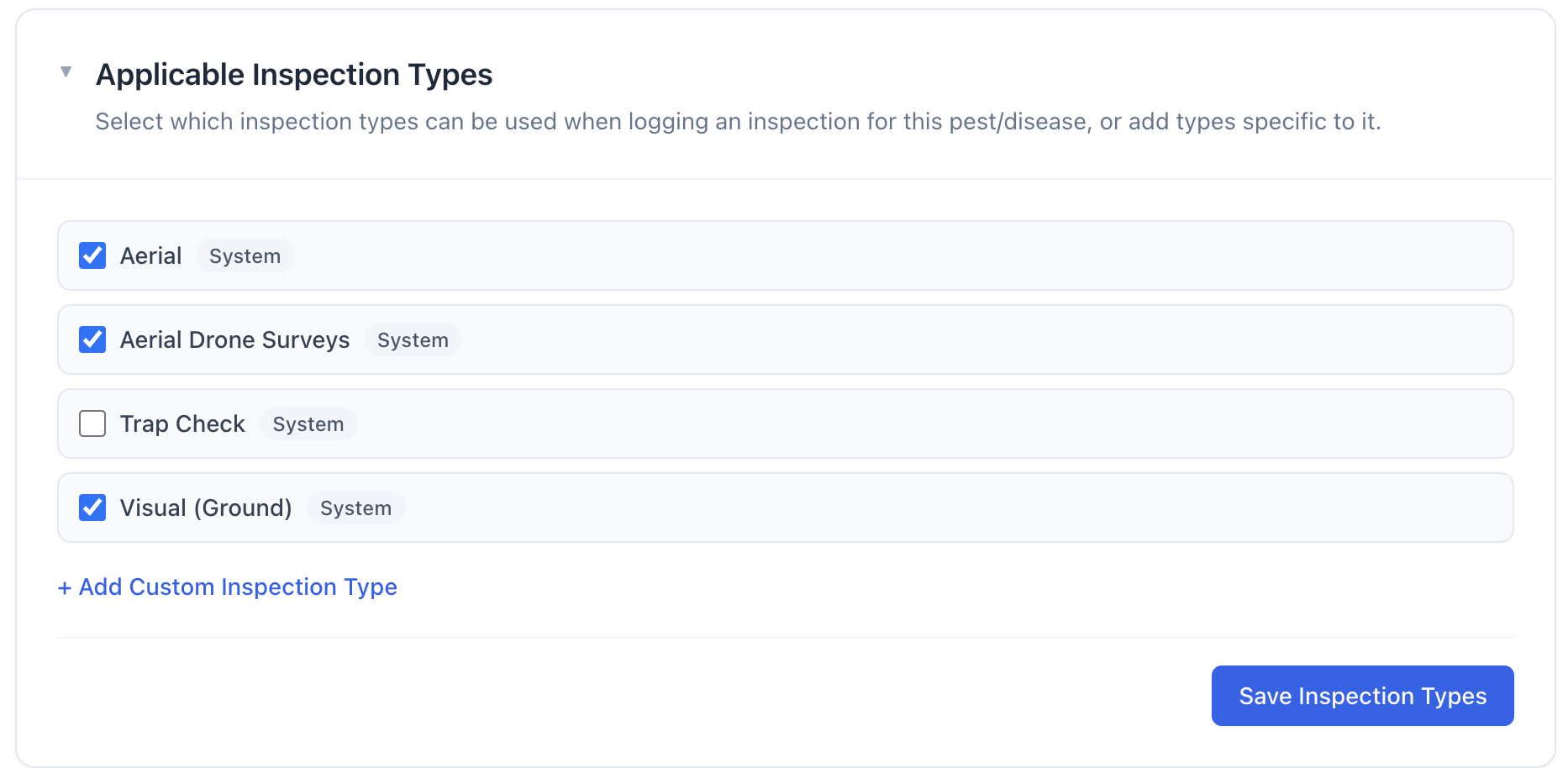
You can disable system inspection types by unchecking the checkbox next to them. You can also add custom inspection types by clicking 'add custom inspection type'.