Pests & Diseases Volunteer Projects
Creating a pest disease volunteer form
Navigate to Admin Settings > Attributes > Forms > New Form
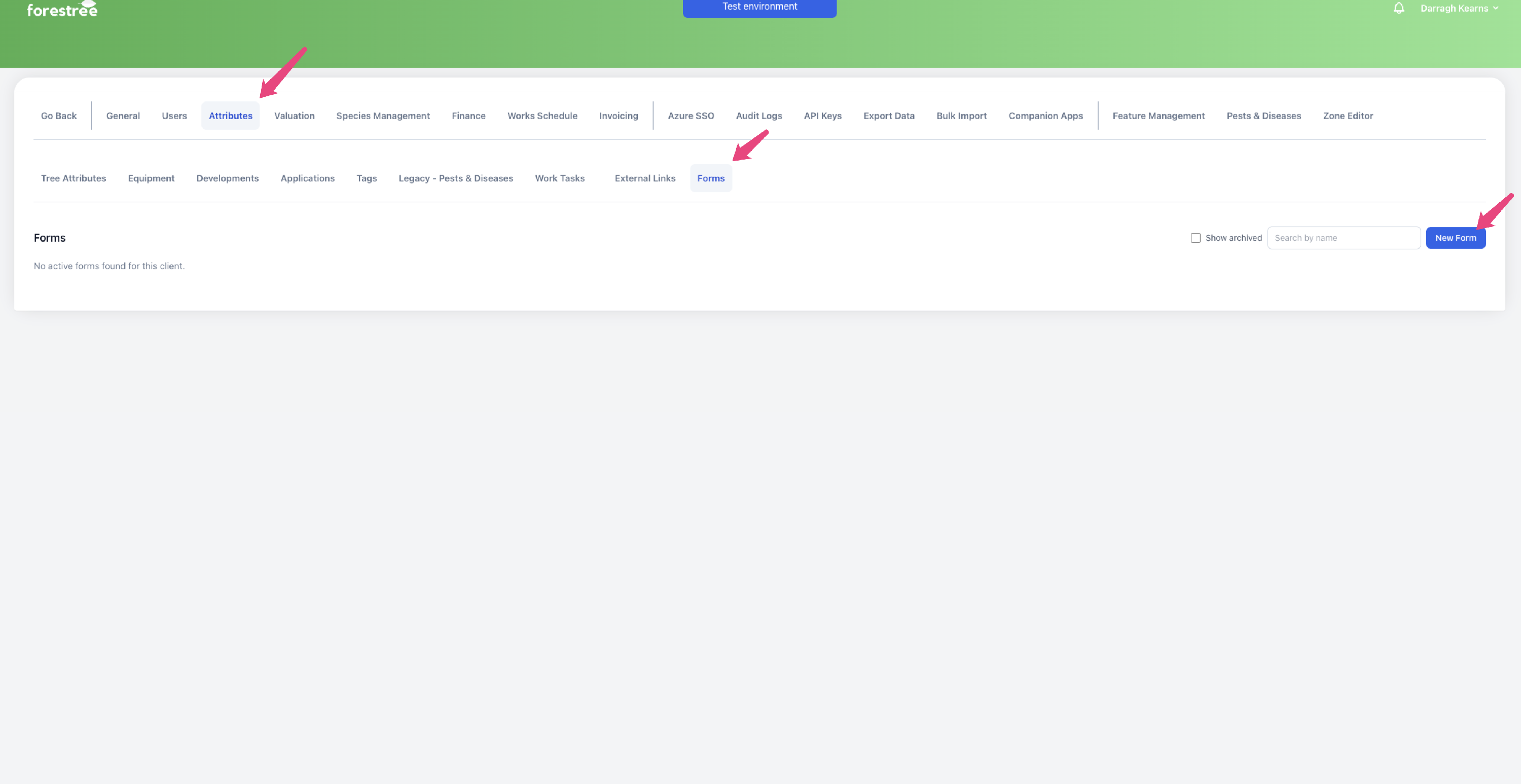
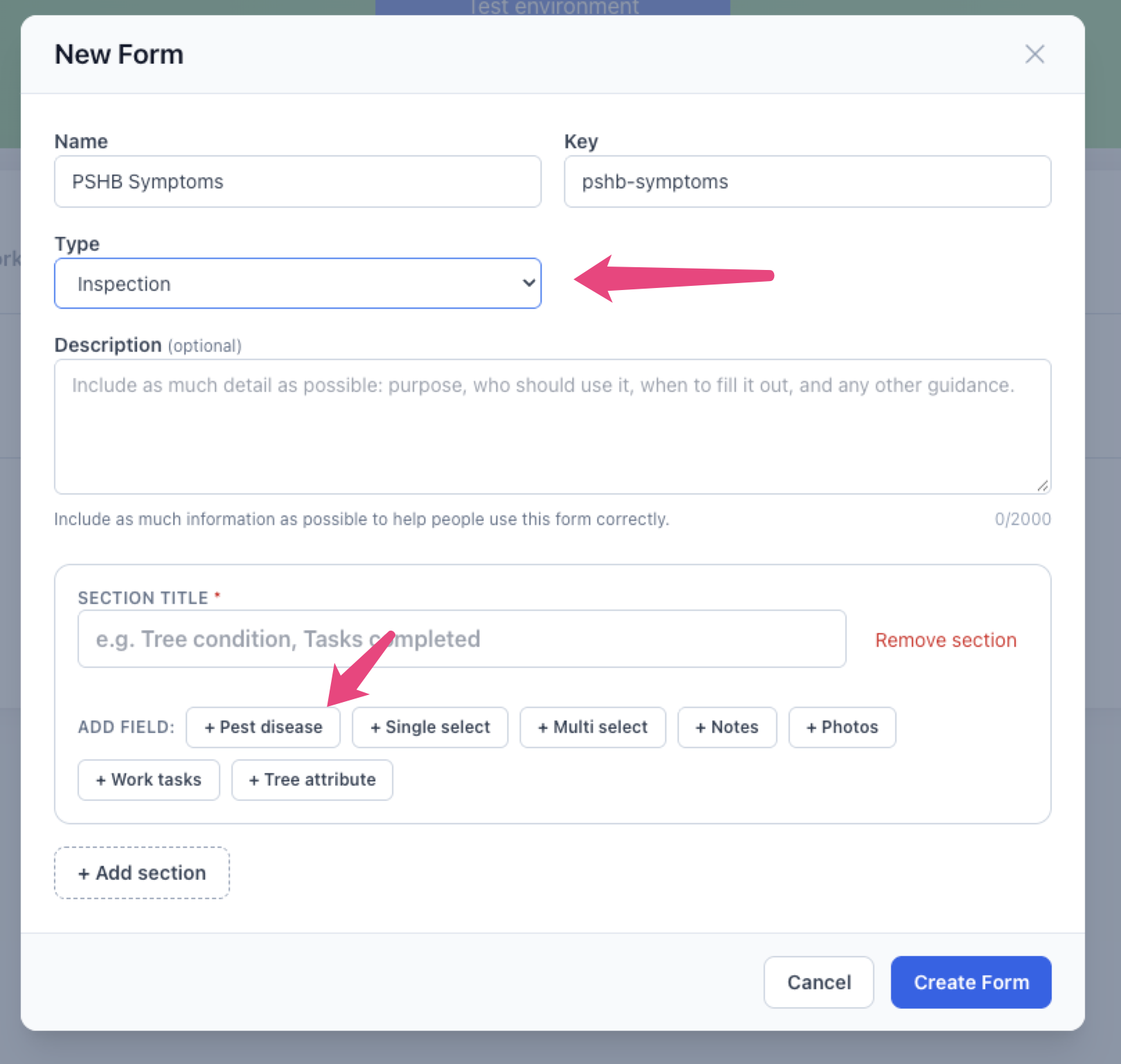
Fill out the name and select 'inspection' as the type. In the 'Add Field' section, click the 'pest disease' button.
Enter a label and select the Pest/Disease you would like to collect data for. Then select the symptoms that you would like to allow the volunteers to be able to report.
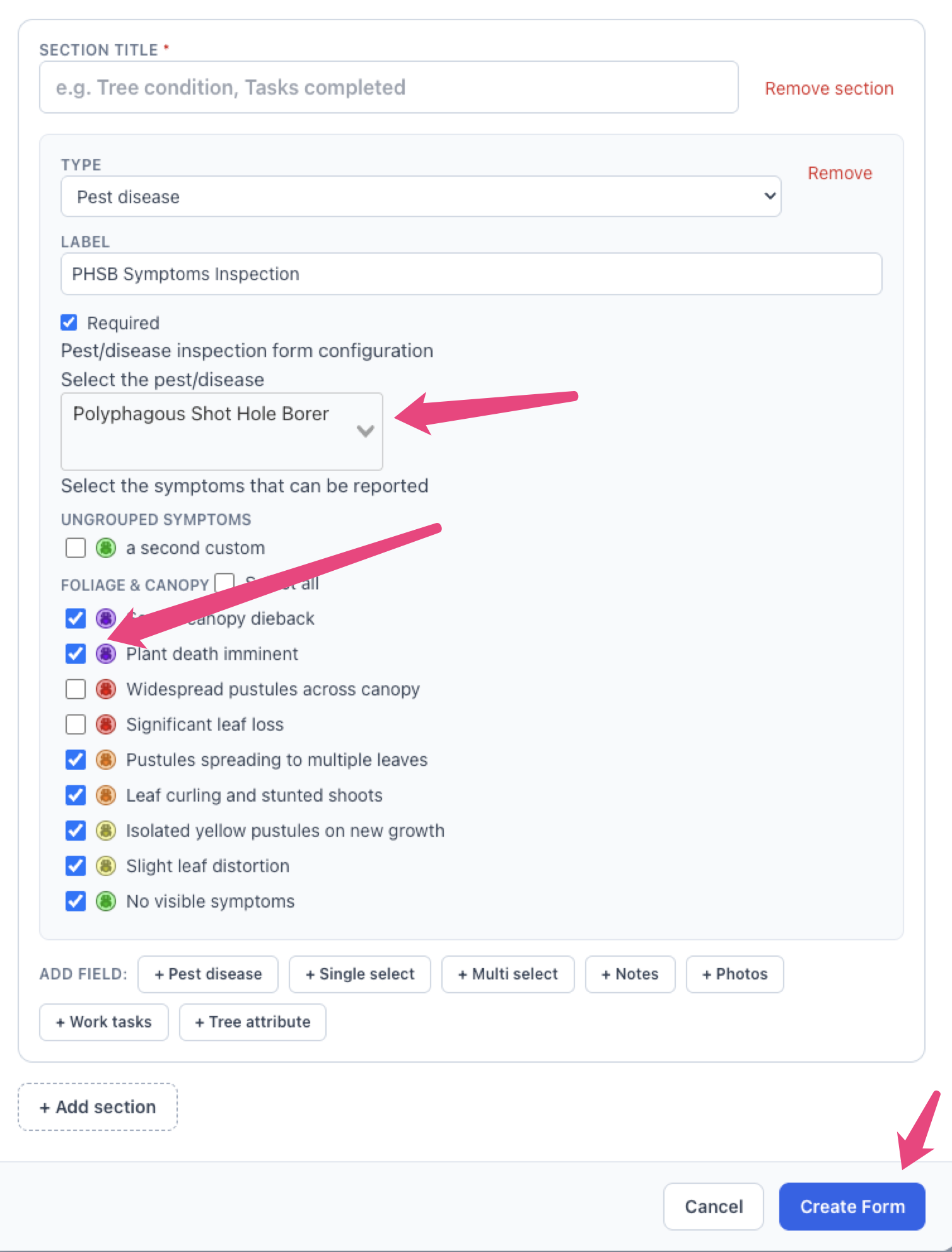
You can also upload photos for each of these symptoms for system and custom PDs.
Creating a Pest/Disease volunteer project
After you have created a form above, navigate to Reporting > Pests & Diseases Analyser. You can create projects from either the Infections or the Susceptible Trees analyser.
First, select a PD from the filter, apply any other filters you would like. Then click 'toggle map'. Draw an area for the project.
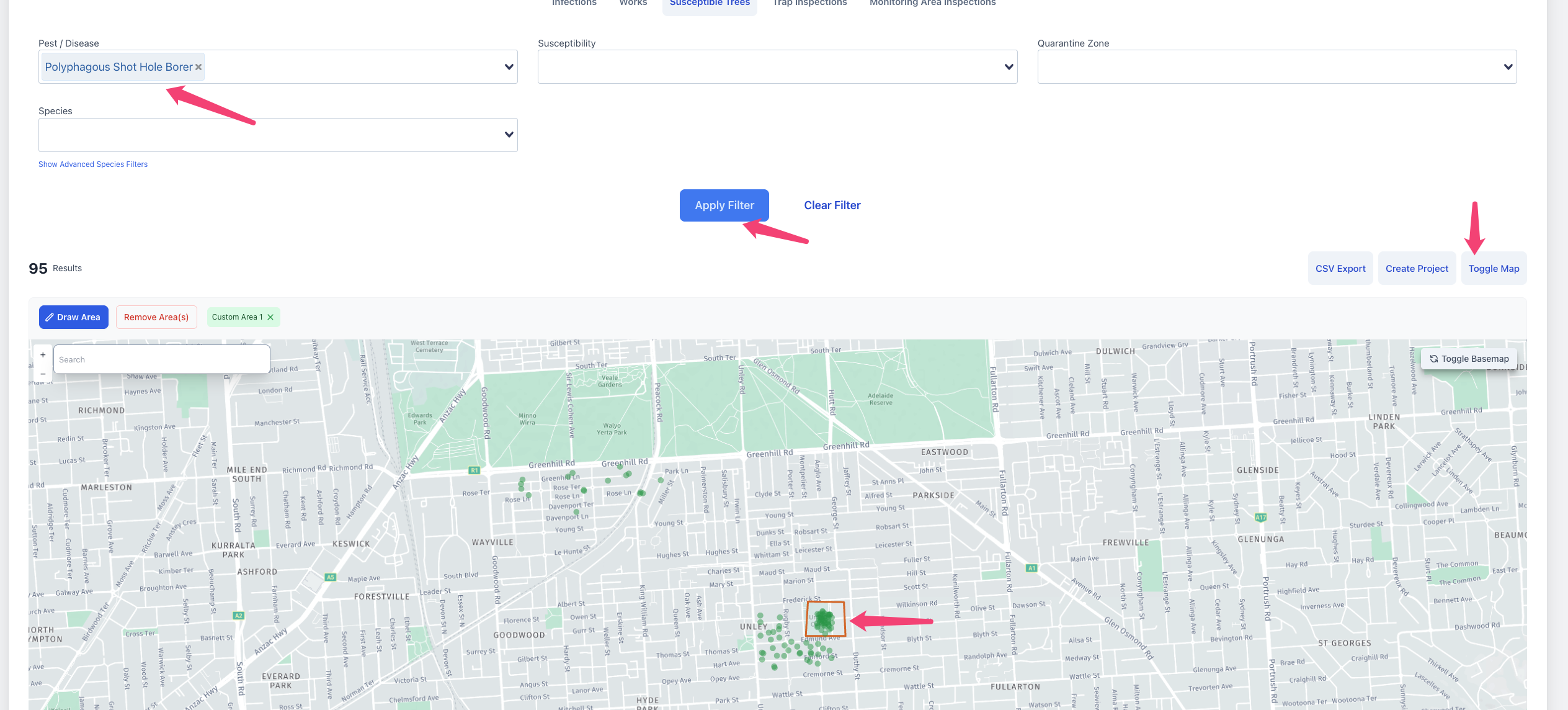
You can then click 'Create Project'. Select 'Volunteers' as the type of project. You can then select your form in the 'Create Volunteer Project' form. You can select volunteers here, or add them later, or provide them with a guest code to perform inspections without logging in.
Guest codes
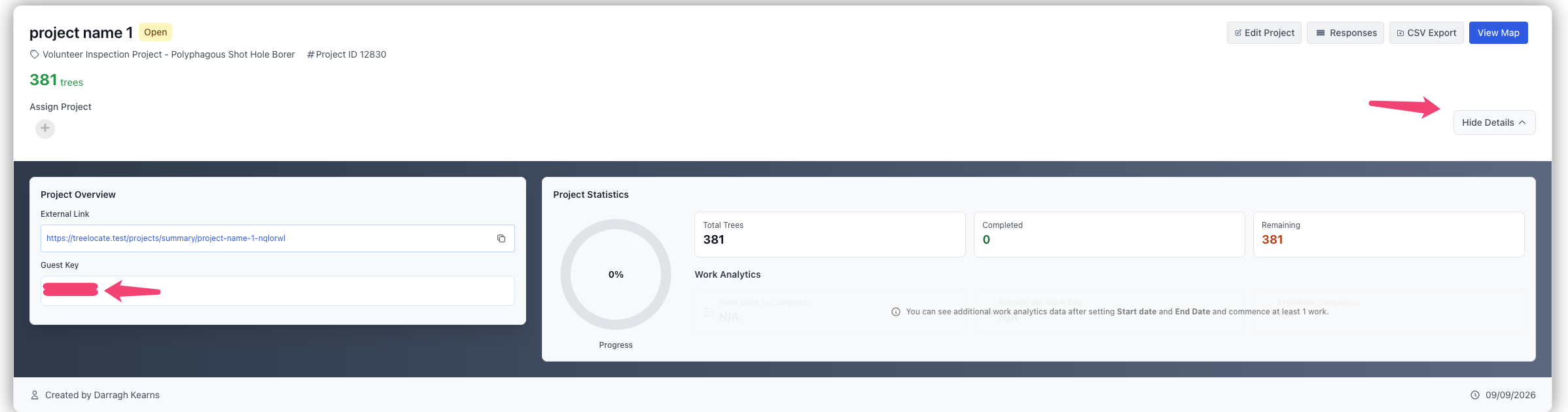
Once you have create the project above, you can navigate to 'Projects'. When looking at the volunteer project, if you click 'Show More Details', you will see a 'Guest Key'. Volunteers can provide this when opening the volunteer site to perform inspections without logging in.
Inspections are still attributed to an individual record, so that inspections can be reverted in batches.