
Bulk Update Scheduled Inspections
Each tree can have a scheduled inspection frequency. By default this is based on the Risk of the tree which can be set in the Admin Settings.
Inspection Frequencies can also be bulk updated through the Data Analyser. To do this:
- Navigate to this reporting tool by selecting the Data Analyser tab at the top of the Reporting page.
- Filter down the trees you want to update using the filters and polygon tools. See Data Analyser Support Page for more information.
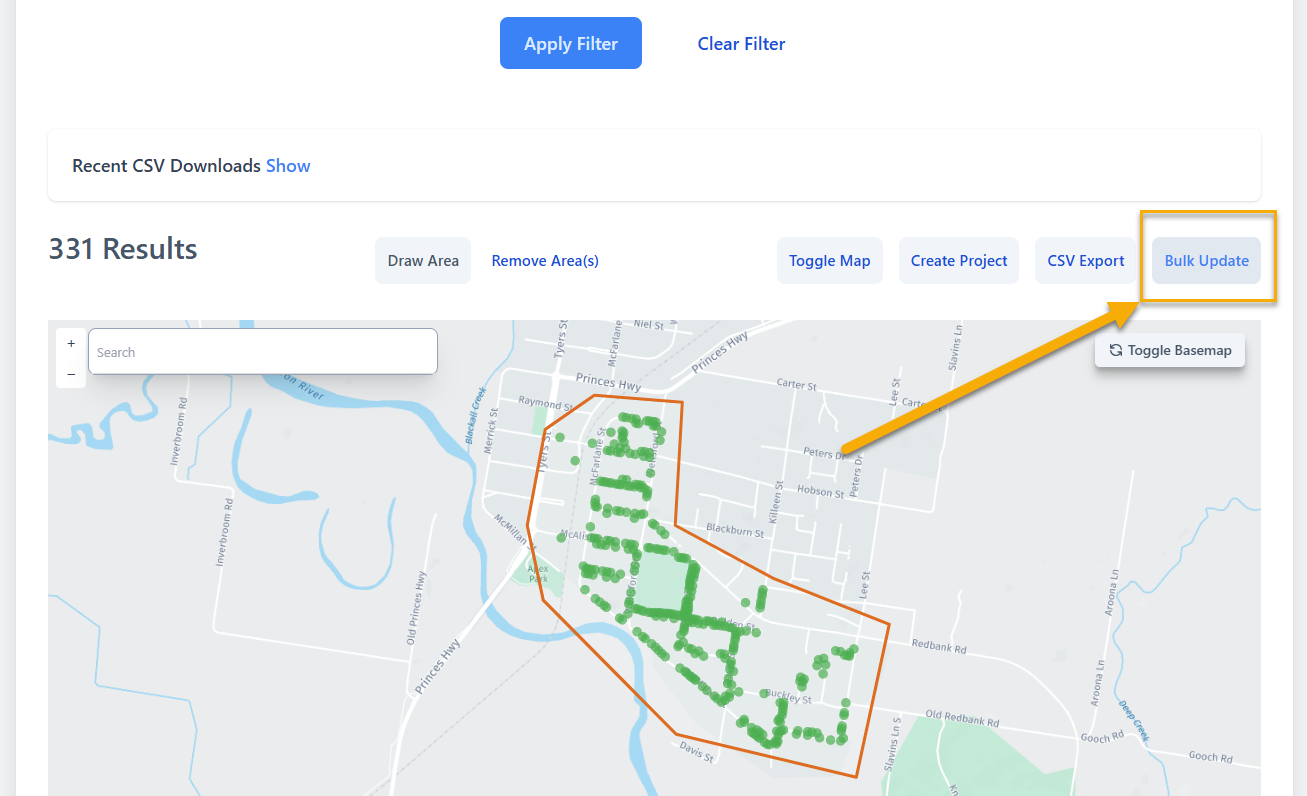
Once you've filtered the trees you want to update. Click the Bulk Update button:
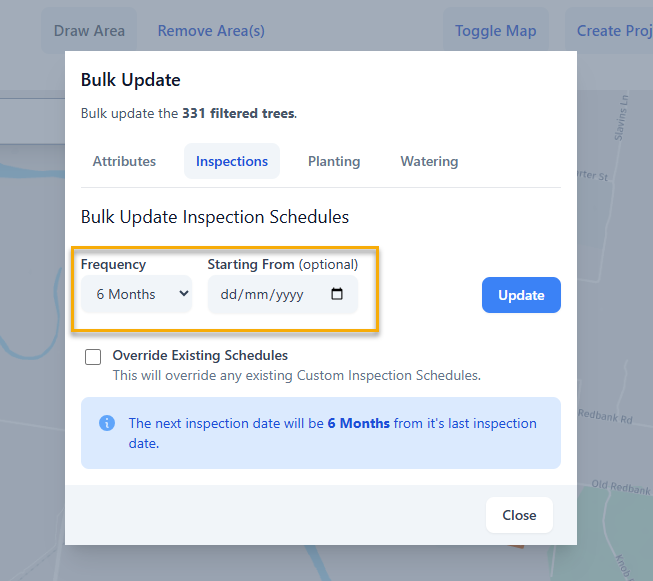
Then click the Inspections tab and choose a frequency on how often you would like to Inspect the filtered trees (e.g. 6 months):
You also have the option to set a specific date you wish to start from. The example below shows the next Inspection Date will be 6 months from the 4th of June 2025:
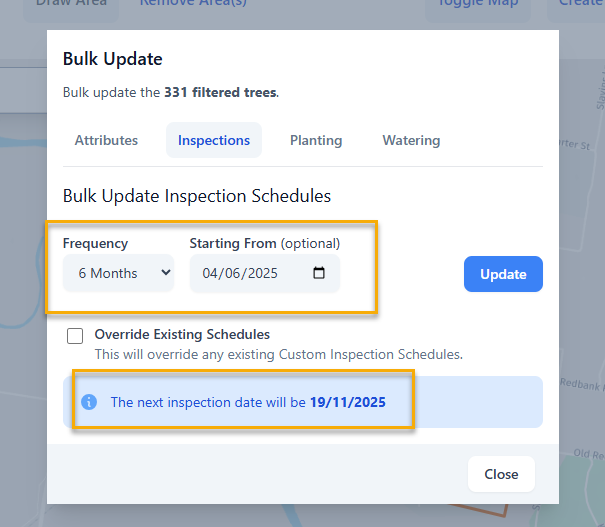
NOTE: the frequency is calculated based on weeks (e.g. 6 months = 26 weeks).
Once you're happy with the settings, click the Update button to update the filtered trees.